
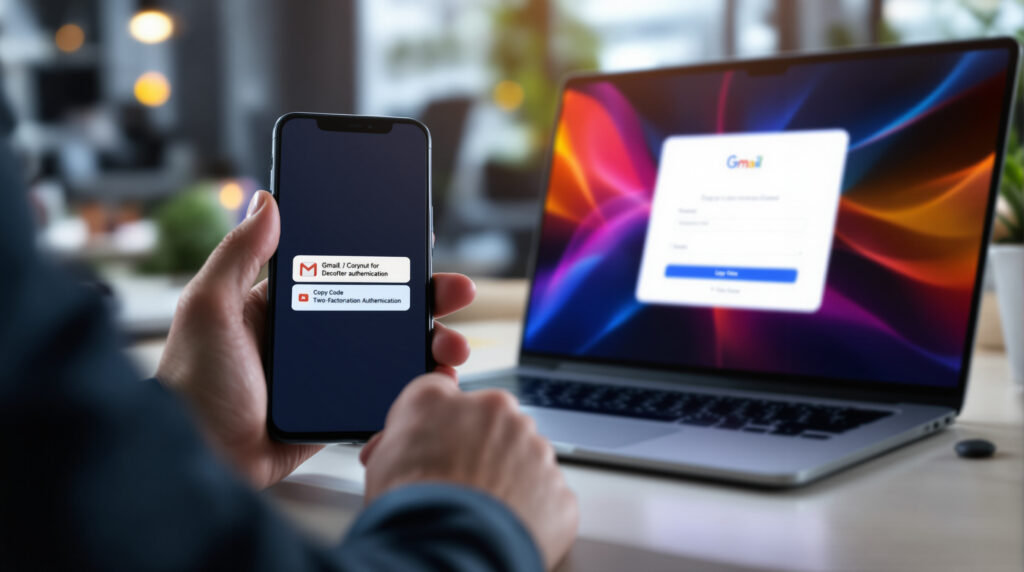
Gmail simplifies two-factor authentication with a “Copy code” button that copies a code received by email from the mobile inbox, without opening the message. Reported since September 19, 2026 on Android and iOS, this new feature reduces a common friction point lors during sign-in, but does not replace a robust authentication strategy for a website or application.
Gmail simplifies two-factor authentication: what does the new button do?
Gmail’s “Copy code” button detects a verification code in certain emails and offers to copy it directly from the message list on Android and iOS. According to 9to5Google on September 19, 2026, the shortcut appears under the subject line or message preview, in the forme of a rounded button.
In practical terms, the user receives an email containing a one-time code, for example to validate a banking login, a purchase, or access to a business account. Instead of opening the email, selecting the code, then going back to the relevant application, they tap the button and paste the code into the requested field.
Two-factor authentication, or 2FA for “two-factor authentication,” is a security method that asks for a second proof of identity after the password. This proof can be a code by email, an SMS, an authentication app like Google Authenticator, or a FIDO2-compatible physical security key.
The change is therefore mainly ergonomic. Gmail is not creating a new authentication factor; Gmail is making it faster to use a code already sent by email. For an executive, the distinction matters: a smoother login reduces drop-off, but security still depends encore on the channel chosen and the quality of the implementation on the service side.
Who can use Gmail’s “Copy code” button in 2026?
Gmail’s “Copy code” button was observed in 2026 in the mobile applications Gmail for Android version 2026.09.07.x and Gmail for iOS version 6.0.260907. Available sources indicate a gradual rollout, with no official timeline published by Google Workspace Updates or a Google blog.
Several specialized media outlets, including Android Authority, 01net, and Frandroid in September 2026, describe the same behaviorr: a button visible directly in the mobile inbox. 9to5Google specifies that it tested the shortcut with verification emails linked to commercial and banking services.
By contrast, the feature is not announced as available in Gmail on the web in 2026. HelenTech also indicated on September 21, 2026 that its editor was unable to confirm the appearance of the button on a Pixel 11 Pro, despite using a Gmail version mentioned in the initial reports.
This detail is typical in Google rollouts: the app version is not always enough. Server-side activations can determine who sees the feature and when. For a business, it is better to regard this button as a useful enhancemoration but not a guaranteed one, rather than as a building block on which to base a critical journey.
Does this Gmail shortcut really improve security?
Gmail’s “Copy code” shortcut mainly improvesuser experience, not the intrinsic security level of two-factor authentication by email. In 2026, a code received in an email inbox remains exposed if the email account is compromised, if the device is unlocked, or if the clipboard is temporarily accessible.
The clipboard is the temporary memory where the smartphone stores what the user has just copied. The Gmail button therefore places the code in this area to allow it to be pasted into another application. It is convenient. It is also something to understand, especially on shared phones, poorly locked devices, or devices administered inadequately.
Email-based two-factor authentication retains one advantage: it is simple to deploy and well understood by the general public. It often remains preferable to having no second factor at all. But for administrative accounts, financial access, or sensitive client extranets, honestly, email codes should not be the first choice.
Visit passkeys, based on cryptography and FIDO2/WebAuthn standards, significantly reduce the risk of phishing because no code needs to be copied. For a web service preparing its authentication roadmap, this topic deserves to be compared with passkeys to replace passwords in 2026, especially if the application handles sensitive data.
On the projects we lead, we often see the same trade-off: email codes speed up the launch of a service, while passkeys or authentication apps require more product framing, testing, and user education. The right choice depends less on the trend of the moment than on the actual risk supported by the company.
| Method | User experience | Indicative security level | Integration cost in France in 2026 | Suitable use case |
|---|---|---|---|---|
| Code by email with Gmail button | Very simple on Gmail mobile, variable elsewhere | Medium, depends fortently on the security of the mailbox | Around €1,500 to €4,000 excl. tax as a forfixed-price package depending on the project | Consumer accounts or portail customer portal with moderate risk |
| SMS OTP | Simple, familiar, but depends on the mobile network | Medium to low against SIM swapping | Around €2,000 to €5,000 excl. tax + cost per SMS depending on the provider | Occasional validation, population that is not very tech-savvy |
| TOTP authentication app | Correct, requires initial setup | Good for business accounts | Around €3,000 to €7,000 excl. tax as a forfixed-price package depending on the user journey | Back office, B2B SaaS, internal teams |
| WebAuthn/FIDO2 passkeys | Very smooth after adoption, with no code to re-enter | High against phishing | Around €6,000 to €15,000 excl. tax as a flat rate depending on the existing system | Sensitive applications, recurring access, long-term strategy |
What does this new feature change for an e-commerce site or a mobile application?
Gmail’s “Copy code” button can reduce the time needed to verify a login, a purchase, or a sign-up, but only for Gmail mobile users who see the feature in 2026. An e-commerce site or mobile application should therefore not depend on this shortcut to ensure a smooth user journey.
The most visible benefit concerns micro-frictions. A code to look for in an inbox, a poorly handled app switch, a session that expires too quickly: every detail adds abandonment. On mobile, the problem is encore even more pronounced because the user switches between several screens.
The trap, for a non-technical decision-maker, is thinking that a Gmail improrvement solves the authentication issue on the product side. In reality, your site still has to manage expiration delays, code resends, input errors, email address changes, and cases where the user does not have Gmail.
For a mobile application, these details directly influence development timelines. Adding a basic email code can take a few days in a well-structured project; properly handling edge cases, security logs, anti-abuse measures, and multi-device testing can easily represent one to three weeks depending on complexity. If you are planning a roadmap, the timelines described in mobile application development provide a useful framework for avoiding overly optimistic estimates.
From an agency perspective, the reflex is to test authentication as a business journey, not as a simple form. What happens if the code arrives after 40 seconds? If the user comes back from Gmail and the application has been closed? If the previous code remains valid after a new resend? These questions cost little in workshops, and a lot in production.
Should you still offer email codes on a web project?
Email codes remain relevant in 2026 for a moderate-risk web project, because they are inexpensive, easy to understand, and compatible with almost all users. For sensitive access, passkeys, TOTP authentication apps, or FIDO2 keys offer stronger protection.
At this budget, it is sometimes better to deliver a well-designed email code than poorly explained advanced authentication. A booking portal, an order tracking area, or a paid content service does not necessarily have the same constraints as a health portal, a financial tool, or an administration console.
The right approach is to classify access by risk level. An end customer can receive an email code to recover an account. An administrator must use a stronger method. An external provider must have limited rights, a defined access duration, and reviewable logs in the event of an incident.
Three criteria help you choose an authentication method without getting lost in the technical details:
- The value of the accessible data: client coordination details, invoices, contractual documents, health data, or banking information do not present the same risk.
- Connection frequency: a very secure but cumbersome method becomes an obstacle if your customers log in several times a week.
- The cost of a compromised account: support for customers, loss of trust, notification obligation, business interruption, and security analysis.
Since 2018, the GDPR has required protection appropriate to the risks, without dictating a single authentication method. In the event of an incident involving personal data, the CNIL reminds that notification may be necessary depending on the level of risk for the people concerned. To prepare for this issue in advance, a process of cyber incident response for SMEs prevents discovering responsibilities at the wrong time.
How can authentication be integrated without degrading the customer experience?
Successful authentication in 2026 combines security, a clear user journey, and fallback mechanisms. Gmail’s “Copy code” button can speed up copying a code, but a web or mobile project must remain usable with Outlook, Apple Mail, a desktop browser, a poor connection, or an older device.
The first rule is to limit disruptions in the user journey. If the user leaves your application to check their inbox, preserve their state: cart, formulaire, payment page, search filter. Nothing is more frustrating than receiving a code correctly but having to start the process over.
The second rule is to write simple messages. “Code expired” is not enough. Specify how long the code remains valid, how to request a new one, and which email address was used, masking part of the address if necessary.
Finally, authentication must be designed with hosting, logging, and monitoring in mind. A spike in code requests can reveal a bug, a credential stuffing attack, or an attempted abuse. ANSSI regularly publishes security recommendations for information systems; without transforming an SME into a bank, these principles encourage keeping useful logs and limiting unnecessary access.
Technical choices related to AI and automation can also change the risk. If your service uses assistants or agents to handle customer requests, the security of runtime environments becomes a related topic; best practices around AI agent sandbox clearly show why authentication is never enough on its own.
Defining this type of project upfront avoids most unpleasant surprises. An outside perspective often helps distinguish what relates to the user confort, what relates to security, and what needs to be included in the budget from the outset.
FAQ about Gmail and two-factor authentication
Is the button to copy the Gmail code available on ordinateur?
The “Copy code” button in Gmail is not reported as available on Gmail web as of September 2026. Published observations concern the Gmail mobile apps on Android and iOS.
Is a code sent by email more secure than a text message?
An email code and an SMS code offer an intermediate level of security in 2026. The email code depends on the security of the mailbox, while SMS can be exposed to SIM card hijacking and interception depending on the context.
Why doesn’t Gmail show the button on my phone?
The Gmail “Copy code” button appears to be rolling out gradually in 2026, likely with server-side activation. An up-to-date app therefore does not guarantee the shortcut will appear immediately on every account or device.
Do passkeys replace two-factor authentication with a code?
Passkeys can replace some password-and-code flows, as they authenticate the user with cryptographic proof tied to their device or account. However, passkeys are not suitable for all audiences without guidance and fallback flows.