
TerminalFix is a recent variant of ClickFix: the user sees a fake Cloudflare prompt, copies a command, and then runs it in Windows Terminal or PowerShell. For a company, the risk extends beyond the infected workstation: theft of credentials, escalation to the internal network, Active Directory reconnaissance, and an encrypted tunnel to the attacker. The priority is to reduce the misuse of PowerShell, monitor commands, and train teams.
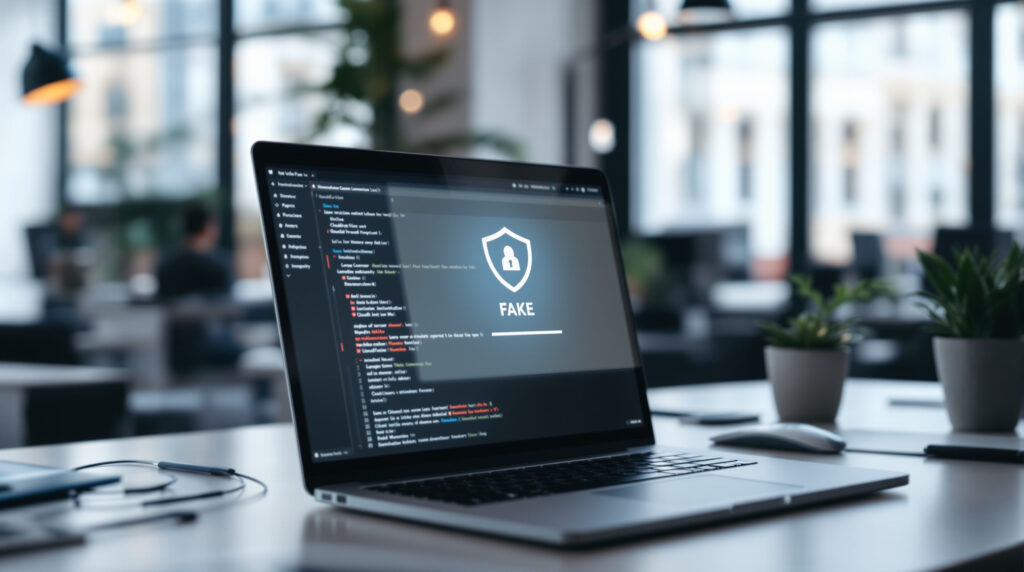
TerminalFix: How It Differs from Traditional ClickFix Attacks
On August 28, 2026, Microsoft Security Research published an analysis of TerminalFix, described as an active campaign targeting organizations across multiple sectors. The method belongs to the ClickFix family: instead of exploiting only a technical vulnerability, the attacker tricks the user into performing a dangerous action themselves.
The notable difference lies in the action required. The first ClickFix campaigns often prompted users to open the Windows “Run” dialog box. TerminalFix or also directs the victim to Windows Terminal or PowerShell, the Windows administration tool that allows users to automate system commands.
For a manager, this detail matters. An antivirus alert triggered by an attached file is one thing; an employee who pastes a command into a terminal, convinced they’re solving a CAPTCHA, creates a scenario that’s more subtle—and sometimes harder to explain afterward. This isn’t a silly mistake. It’s a maneuver designed to bypass standard reflexes.
The Fake Cloudflare: A Step-by-Step Account of the Attack
The observed scenario begins with a compromised website. This could be a legitimate website that has been hacked—for example, a poorly maintained WordPress site—that displays a fake overlay resembling Cloudflare Turnstile, Cloudflare’s anti-bot verification system. The user believes they must prove they are human.
The page offers users the option to copy a command, or places it directly into the clipboard using a JavaScript function such as navigator.clipboard.writeText. Then it asks you to paste this command into PowerShell, Windows Terminal, or sometimes the "Run" box. A real CAPTCHA never asks you to open a terminal.
Once launched, the command can call powershell.exe with suspicious options such as -w hidden To hide the window, -nop to bypass the user profile, or -c to execute a command. Other ClickFix campaigns documented in 2025–2026 used mshta.exe, msiexec.exe, curl, wget and bash, depending on the target system.
In the projects we work on, we often see the same approach: the security of the public website is handled separately from that of internal workstations. TerminalFix demonstrates the opposite. A compromised website can become the first link in a breach that ultimately reaches the desktop or server environment.
Why Business Risk Is More Serious Than Just Malware
According to Microsoft, the TerminalFix process being monitored was downloading a ZIP archive containing LockScreenContentServer.exe and a malicious DLL named dui70.dll, excerpted from C:\ProgramData\f47f2a8c21c9df4e. The DLL sideloading technique involves having an apparently legitimate program load a malicious library.
Microsoft also notes that the DLL retrieved payloads hidden in PNG images using steganography—that is, the concealment of data within a file that appears to be ordinary. Persistence was achieved through HKCU Run registry keys and scheduled tasks that restarted the executable every 60 minutes.
The most sensitive part, from the company’s perspective, comes next: domain discovery, searching for administrators, inventorying computers and Active Directory users, pinging targeted servers, and collecting system information. In short, the attacker isn’t just trying to infect a single workstation. They’re assessing how the company is organized.
The Microsoft rapport finally describes an implant that uses a signed, embeddable Python runtime and a file client.py to create an encrypted WebSocket tunnel to gitnow[.]dev:443. A reverse tunnel allows the attacker to communicate with the compromised machine as if it were initiating the sort connection itself. Many firewalls allow traffic on port 443, the HTTPS port.
Practical implication: If TerminalFix indicators are found on a computer, it should not be treated as an isolated incident. Microsoft recommends treating that computer as a potential network pivot point, investigating lateral movement, and resetting the credentials accessible from the machine.
Budget, deadlines, trade-offs: Where to start without having to start all over again
Effective protection against TerminalFix isn’t a miracle solution. It’s a sensible combination of measures: restricting privileges, controlling scripts, monitoring commands, web filtering, and user training. Given this budget, it’s better to address three widely exploited vulnerabilities than to fund an 80-page theoretical audit that isn’t followed up with implementation.
| Measurement | Realistic Timeline for SMEs | Cost Order in France | Main profit |
|---|---|---|---|
| Short Awareness Session: Fake CAPTCHA, Terminal, PowerShell | 1 to 2 weeks | €500 to €2,000, according to format | Reduces the final click, which is often decisive |
| Revocation of Local Administrator Rights | 2 to 6 weeks | €1,500 to €8,000, depending on the fleet | Limits installation and persistence |
| DNS/Web Filtering: Cloudflare Gateway, Cisco Umbrella, DNSFilter | 1 to 3 weeks | About 2 to 6 € per user per month | Blocks recent or suspicious domains |
| EDR with telemetry scripts: Microsoft Defender for Endpoint, CrowdStrike, SentinelOne | 3 to 8 weeks | Approximately €5 to €15 per position per month, including onboarding | Detects PowerShell and child processes named anormaux |
| AppLocker, WDAC, or Constrained Language Mode | 4 to 10 weeks | €3,000 to €15,000, depending on complexity | Reduces the misuse of Windows scripts and binaries |
These figures are rough estimates based on observations in the French market and vary depending on the number of workstations, existing infrastructure, and business continuity requirements. A very small business with 15 employees will not deploy WDAC in the same way as an industrial small-to-medium-sized enterprise with 250 workstations. Honestly, the strictest restrictions are only justified if you have the resources to test business applications before deployment.
A common pitfall is to abruptly block PowerShell. Certain administrative, monitoring, or software deployment tasks depend on it. A policy that’s too strict leads to workarounds, and thus to risk. From the agency’s perspective, the natural approach is to start by assessing: who is running PowerShell, from which tool, and with what settings—and then to gradually impose restrictions.
TerminalFix Protection Checklist for a Small Business
Effective defense starts with simple rules that are understandable to both management and IT support. The goal is not to turn every employee into a SOC (Security Operations Center) analyst, but to eliminate the easy paths that attackers use.
- For: Meet the Teams : A Cloudflare, Google, or other CAPTCHA does not require you to open Windows Terminal, PowerShell, Run, or macOS Terminal.
- Remove local administrator rights for checking accounts, with a separate account for administrative purposes if necessary.
- Restrict PowerShell via Constrained Language Mode, AppLocker, or Windows Defender Application Control, provided the context allows it.
- Monitor High-Risk Orders :
powershell.exe -w hidden -nop -c,Invoke-Expression, Base64-encoded commands, downloads from URLs,mshta.exedistant,msiexec.exe /i URL /qn. - Deploy an EDR capable of tracking scripts, child processes launched by the browser, and unusual Sort connections.
- Filter DNS and Web to block newly created, suspicious, or previously reported domains, including on mobile devices.
- Establish a reporting procedure : screenshot, URL, time, relevant post—without the user having to worry about being penalized.
The GDPR, which has been in effect since 2018, adds a governance dimension. If the incident results in a personal data breach, the company may be required to document the event, assess the risk to the individuals concerned, and, in some cases, notify the CNIL within 72 hours. Technical considerations quickly intersect with legal ones.
Public site security also deserves a place on this checklist. ShadowCaptcha campaigns reported in 2025 by the Israel National Digital Agency and Ring0 cited more than 100 compromised WordPress sites serving as relays to fake CAPTCHA pages. Keeping WordPress, its plugins, hosting, and administrator access up to date reduces the likelihood that your own site will be used as bait. For web projects that handle customer accounts or forforms, choosing the right architecture from the start is just as important as the design; it’s the same trade-off as when comparing mobile app or website, depending on actual usage.
Detection: Weak Signals to Ask Your Service Provider About
An IT service provider or SOC must be able to search for concrete evidence. The investigation often begins with processes launched from a browser—such as Chrome, Edge, or Firefox—that trigger PowerShell, cmd.exe, mshta.exe and msiexec.exe. This behavior isn't always malicious, but it warrants an explanation.
Windows logs, EDR, and the web proxy must be cross-referenced. A hidden PowerShell command followed by a download from a recent domain, then a scheduled task—forme—provides a much stronger body of evidence than an isolated alert. Recorded Future described a ClickFix cluster in March 2026 that used more than 40 domains, including alababababa[.]cloud, with lures compatible with Windows and macOS between May 2025 and March 2026.
Network filtering is no substitute for monitoring individual workstations. Threat landscapes evolve, payloads are hidden in innocuous files, and HTTPS traffic is commonplace. However, a robust DNS/Web policy often blocks opportunistic campaigns before the command is executed.
If you’re expanding your digital presence, keep security in mind right from the start when choosing hosting and a domain name. A poorly managed transfer or takeover can leave access points, DNS settings, or email accounts vulnerable; this topic ties into the precautions to take when setting up a Domain Name Transfer Without Losing Control. The same logic applies to SEO: a visibility strategy attracts traffic, but it must be built on a solid technical foundation, as is often pointed out—that one must choose between a local or national SEO approach.
What to do if a collaborator has marked the order as completed
The first step is to isolate the workstation from the network—without shutting it down if a memory analysis is planned. Next, notify your security provider or IT manager, and keep a record of the URL, the copied command, the screenshots, and the approximate time. The more precise these details are, the faster the investigation will be.
You must also consider any compromised credentials. Email, VPN, business applications, browser sessions, password managers—anything that was accessible from the workstation may need to be revoked or reset. For privileged accounts, don’t wait for full confirmation of the infection.
Restoring a system to its original state should not be limited to simply deleting a file. Look for scheduled tasks, startup registry keys, suspicious connections, account creations, unusual access to Active Directory, and encoded commands. A computer reinstalled too quickly may result in the loss of useful evidence; a computer left online too long may serve as a gateway.
Addressing this type of risk early on helps avoid most unpleasant surprises: job role mapping, user permissions, monitoring, and incident procedures. This is often where an outside perspective saves time, because it connects the website, hosting, workstations, and business processes rather than treating them as silos.
FAQ on TerminalFix and Fake Cloudflare CAPTCHAs
Is TerminalFix intended only for large companies?
No. Microsoft refers to organizations across multiple sectors, and ClickFix campaigns often use compromised websites that are accessible to anyone. An SME is at risk as soon as an employee browses the web from a computer connected to the company’s internal systems.
Can a real Cloudflare CAPTCHA ask for a PowerShell command?
No. A Cloudflare Turnstile or Google CAPTCHA challenge may ask you to check a box, complete a verification task, or wait for automatic validation, but it will not ask you to open Terminal, PowerShell, or Run.
Should PowerShell Be Completely Blocked in a Corporate Environment?
Not always. PowerShell is also used for legitimate administrative purposes; it’s best to log usage, remove unnecessary admin rights, and then restrict risky commands and scripts using AppLocker, WDAC, or Constrained Language Mode.
What should you do if the EDR detects powershell.exe -w hidden -nop -c?
Treat the alert as a priority, especially if PowerShell was launched from a browser or followed by a download. Isolate the workstation, collect logs, and check for scheduled tasks, Run keys, suspicious connections, and exposed credentials.