
Apple Watch cellular or GPS in 2026? Differences, prices, Orange/SFR/Free plans and advice for choosing the model suited to your needs.
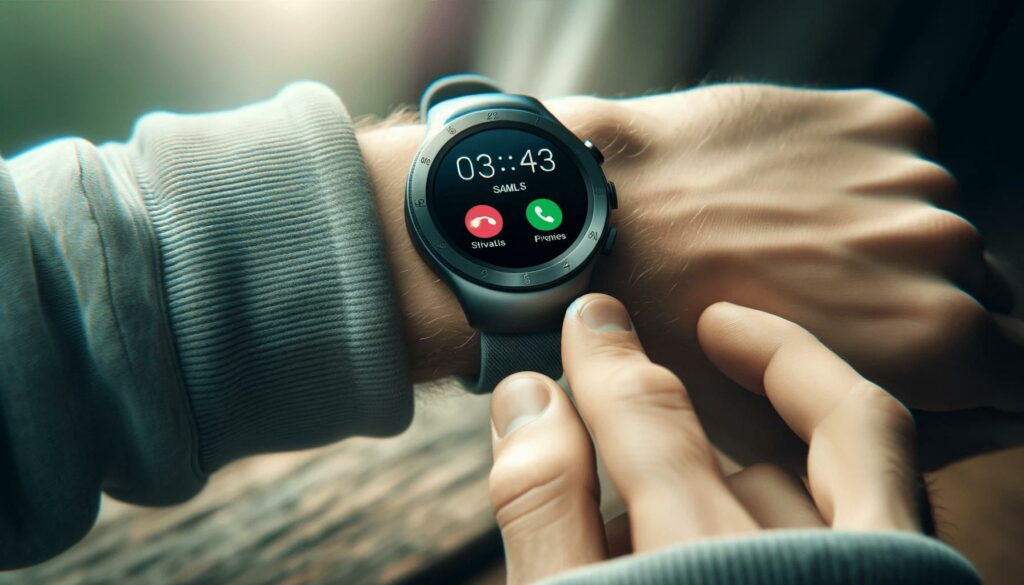
When buying an Apple Watch, the question always comes up: should you choose the GPS or the Cellular (GPS + Cellular) model? The difference is not just a simple marketing gimmick: about €100 more at purchase, plus a possible monthly carrier subscription, in exchange for the ability to leave your iPhone at home while still remaining reachable. In 2026, the calculation was partially shaken up by Free Mobile which made Apple Watch eSIM free of charge for its subscribers since December 2025, while Orange and SFR continue to charge €5/month. Here is the fully updated comparison for the Apple Watch Series 11, Ultra 3 and SE 3, with carrier plans and our recommendations based on your usage.
Apple Watch GPS vs Cellular: the difference in 1 minute
| Criteria | Apple Watch GPS | Apple Watch Cellular (GPS + Cellular) |
|---|---|---|
| Independent connectivity | No — depends on the iPhone being nearby (Bluetooth/Wi-Fi) | Yes — integrated eSIM, works without iPhone |
| Calls without iPhone | No | Yes (via the mobile network) |
| Music streaming without iPhone | No (except downloaded music) | Yes (Apple Music, Spotify, etc.) |
| GPS geolocation | Yes (native GPS) | Yes (native GPS) |
| Health and activity tracking | Identical | Identical |
| Price difference at purchase | - | + approximately €100 |
| Monthly subscription | None | €0 to €5/month depending on carrier |
| Distinctive visual sign | - | Red dot on the Digital Crown |
Apple Watch GPS: for whom and for what?
The Apple Watch GPS is the entry-level model in terms of connectivity. It uses its native GPS for location functions (running, hiking, navigation) but depends on your nearby iPhone (via Bluetooth up to 10 m, or shared Wi-Fi) for anything related to external communications: calls, messages, notifications, online apps.
What you can do with an Apple Watch GPS alone (without iPhone)
- Track your physical activities (running, cycling, swimming) with precise geolocation
- Check your heart rate, oxygen levels, sleep
- Use Apple Pay (contactless payment)
- Listen to music downloaded locally to the watch (limited)
- See the time and use watch face complications
- Make an emergency call (SOS) via known public Wi-Fi
What you can’t do without iPhone
- Make or receive phone calls
- Send/receive SMS, iMessages
- Stream music (Apple Music, Spotify, etc.)
- Receive notifications from third-party apps
- Navigate on Maps in real time
- Ask Siri to perform web queries
Verdict : the Apple Watch GPS is perfect if you almost always keep your iPhone with you. It remains fully functional as soon as your phone is in the same apartment, the same vehicle, or the same bag.
Apple Watch Cellular: what really changes
The Cellular version (officially called “GPS + Cellular”) includes an integrated eSIM which allows it to connect to 4G/5G mobile networks independently. It shares the same phone number as your iPhone and draws its data from the same forfait.
What Cellular concretely unlocks
- Make and receive calls directly from the watch, anywhere
- Send/receive SMS and iMessages independently
- Stream Apple Music, Spotify, podcasts without iPhone
- Receive all notifications in real time
- Use Maps, Plans, Waze for walking or running navigation
- Request Uber/taxis via Siri
- Leave the iPhone at home without risking missing an important call
Identify an Apple Watch Cellulaire
Visually, only one difference: the digital crown has a red ring on cellular models (except Apple Watch Hermès and certain special editions where this detail is integrated differently). The dimensions, weight, and materials are identical to the GPS model.
Price difference between Apple Watch GPS and Cellulaire in 2026
The purchase price difference remains constant at Apple: about €100 more for the Cellulaire version with equivalent material and size.
| 2026 Model | Apple Watch GPS | Apple Watch Cellulaire | Difference |
|---|---|---|---|
| Apple Watch SE 3 | From ~€249 | From ~€299 | + 50 € |
| Apple Watch Series 11 | From ~€449 | From ~€549 | + 100 € |
| Apple Watch Ultra 3 | - | From ~€899 (cellular only) | - |
Apple France manufacturer pricing to be verified on apple.com/fr, subject to change.
Please note: theApple Watch Ultra 3 only exists in a Cellular version — there is no GPS-only variant for this high-end model. This is consistent with its positioning sport extreme and expeditions where connectivity autonomy is a central selling point.
Forfacts eSIM Apple Watch in France: carriers and prices 2026
Having a Cellular Apple Watch is not enough: you must activate the eSIM with a compatible carrier. In France, the situation changed in December 2025.
| Operator | eSIM Watch option | Activation fee | Conditions |
|---|---|---|---|
| Free Mobile | €0/month (free) | 0 € | Forfact Free 5G or Série Free (hors Forfact €2) |
| Orange | €5/month | 10 € | Compatible Orange mobile plan |
| Sosh | €5/month | 10 € | Compatible Sosh mobile plan |
| SFR | €5/month | 10 € | Compatible SFR mobile plan |
| RED by SFR | €5/month | 10 € | Forfait mobile RED compatible |
| Bouygues Telecom | Not available | - | Under review (official statement from December 2025) |
| B&You | Not available | - | Not announced |
Free’s December 2025 revolution
Free Mobile made a big move in December 2025 by launching the Apple Watch eSIM option included free of charge in its Free 5G and Série Free forfaits. It is the only offer on the market with no monthly surcharge or activation fees. The eSIM is compatible with Apple Watch Series 6 or later, provided you have an iPhone XR or later running iOS 26.2+.
For use over 3 years, the difference compared with Orange or SFR (5 €/month × 36 months + 10 € activation = 190 €) is significant.
Bouygues Telecom: still behind
Bouygues Telecom is now the only one of the four national operators not to offer an Apple Watch eSIM option. After years of categorical refusal, the operator said at the end of 2025 that it was “studying” the possibility. No timeline has been announced for the moment. If you are a Bouygues subscriber and cellular is important to you, you will need to change operators or remain on GPS.
Key points to know about how it works
- The Watch eSIM shares the same number and the same data allowance as your main iPhone forfait
- You cannot get an independent plan for the watch alone
- The Apple Watch eSIM only works in mainland France with most carriers (roaming requires Wi-Fi or proximity to the iPhone)
- Free allows 4G roaming in countries covered by its usual roaming policy
How to activate Apple Watch eSIM in 5 steps
- Check compatibility : Apple Watch Series 6 or newer with cellular connectivity, iPhone XR or newer, watchOS and iOS up to date (at least version 26.2 in 2026)
- Open the Watch app on your iPhone, go to “Cellular”
- Select your carrier from the list (Orange, Sosh, SFR, RED, Free)
- Sign in with your carrier credentials (customer account) to subscribe to the option
- Wait for synchronization (a few minutes), then your Apple Watch will be connected to the mobile network
With Free, the process is integrated directly into the Watch app with a redirect to the Free customer account for validation. No QR code to scan manually.
Real impact on battery life
Activating cellular connectivity does indeed reduce battery life of the watch, especially when it actively switches to 4G/5G (areas where the iPhone’s Bluetooth/Wi-Fi is not available). In mixed use, expect:
- Apple Watch Series 11 GPS : 18-24 h of stated battery life, 36 h in power-saving mode
- Apple Watch Series 11 Cellular : 16-20 h with active cellular use, identical in iPhone-connected mode
- Apple Watch Ultra 3 : 36-72 h depending on configuration (Cellular has little impact thanks to the large battery)
In practice, if you carry your Apple Watch Cellular every day alongside your iPhone, it mostly uses Bluetooth — the battery impact remains marginal. It’s during sports sessions without an iPhone that 4G/5G consumption becomes noticeable.
Apple Watch without iPhone: is it really possible in 2026?
A common question, with a nuanced answer.
For the initial setup: iPhone required
To buy and set up a new Apple Watch, you need an iPhone (compatible: iPhone XR or newer in 2026). The initial activation always goes through the Watch app on iPhone.
Family Setup: setup for someone without an iPhone
Since 2020, Apple has offered Family Setup which allows you to set up an Apple Watch for a family member who does not have their own iPhone (child, senior). The setup is done from the iPhone of the main household user. The watch then has its own features, its own number, its own Apple ID.
Conditions:
- Apple Watch Cellulaire required (GPS is not enough)
- Carrier plan compatible with this setup
- “Host” iPhone used as the setup and management device
Everyday use: real-world battery life of the cellular model
Once configured, an Apple Watch Cellular used by its primary owner can function fully without an iPhone nearby for the uses mentioned: calls, messages, streaming, notifications, navigation. However, the iPhone is still necessary for:
- Major watchOS updates
- Installing certain complex apps
- Advanced configurations
Who is Cellular really worth the additional cost for?
✅ Cellular is relevant if:
- You regularly do sport (running, cycling, swimming) without iPhone and want to remain reachable
- You want to be able to stream music while running without a phone
- You are on professional on-call duty and need to be able to take calls even when your iPhone is charging
- You want to equip a child or a senior via Family Setup
- You are a Free Mobile subscriber (free option = no monthly extra cost)
- You want to resell your Apple Watch more easily (Cellular models resell better)
❌ Cellular is not essential if:
- You almost always keep your iPhone with you
- You do not have prolonged sport use without a phone
- You are a Bouygues Telecom subscriber (option not available)
- Your budget is tight and you are carefully comparing the initial extra cost + subscription
- You are mainly buying it for health and fitness tracking, without needing continuous connectivity
Real-world case: how much does it really cost over 3 years?
| 3-year scenario | Apple Watch GPS | Apple Watch Cellular (Free) | Apple Watch Cellular (Orange/SFR) |
|---|---|---|---|
| Purchase of Series 11 (medium size) | 449 € | 549 € | 549 € |
| eSIM activation | 0 € | 0 € | 10 € |
| Subscription (36 months) | 0 € | 0 € | 180 € (5 €/month × 36) |
| Total over 3 years | 449 € | 549 € | 739 € |
Over 3 years, the difference between Cellular and GPS is + 100 € with Free but + 290 € with Orange/SFR. The difference is significant depending on your main carrier.
FAQ — Apple Watch Cellular vs GPS
Can the Apple Watch GPS work without an iPhone?
Partially. Without an iPhone nearby, it keeps native GPS, health tracking, Apple Pay, and music downloaded locally. But it loses calls, SMS, streaming, online navigation, and third-party app notifications. For full independence without an iPhone, you need the Cellular version.
What is the exact price difference between GPS and Cellular?
About 50 € for the Apple Watch SE 3, and 100 € for the Apple Watch Series 11. The Apple Watch Ultra 3 only exists in a Cellular version (starting at about 899 €).
Which French carrier offers free Apple Watch eSIM?
Free Mobile since December 2025. The eSIM Watch option is included at no extra monthly cost and with no activation fee in the Free 5G and Série Free porlans (exclording the 2 € porlan). Orange, SFR and their brands (Sosh, RED by SFR) charge 5 €/month + 10 € activation. Bouygues Telecom and B&You do not offer the oporion.
Do you need a specific porlan for the Apple Watch Cellular?
No. The eSIM Watch option is added to your main mobile porlan. The watch shares the same phone number and the same data allowance as your iPhone. You cannot subscribe to a plan dedicated only to the watch in France in 2026.
Does the Apple Watch Cellular work abroad?
Limited. The majority of French carriers disable eSIM Watch while roaming. You keep the functionality via public Wi-Fi or proximity to your iPhone (which can benefit from roaming). Free offers Watch roaming in countries covered by its usual policy, in 4G.
Which Apple Watch should I buy if I want to make my first purchase?
For a first purchase with a moderate budget: Apple Watch SE 3 GPS (~249 €) is more than enough. For intensive sport use with music listening without a phone: Apple Watch Series 11 Cellular at Free (free option). For extreme outdoor activities: Apple Watch Ultra 3.
Does the Cellular option affect battery life?
Slightly. On Apple Watch Series 11, expect 18-24 h of battery life in GPS and 16-20 h with active cellular without iPhone. In regular mixed use (with iPhone nearby most of the time), the difference is marginal. Apple Watch Ultra 3 maintains 36-72 h of battery life even with cellular.
Can you set up an Apple Watch without an iPhone at all?
No, not for yourself. For the initial setup, an iPhone is required (XR or newer in 2026). However, Apple offers Family Setup, which makes it possible to configure an Apple Watch Cellular for a family member (child, sénior) without an iPhone, from a family member's iPhone.
How do I know if my Apple Watch is the Cellular version?
Look at the digital crown: a red dot or a red ring indicates the Cellular model. In the watch settings, the “Cellular Data” menu is also visible only on the Cellular version.
Is it better to change carriers to benefit from Free Mobile?
Not necessorily. The difference over 3 years is 180 € (€5/month over 36 months) compared with Orange/SFR. If you are satisfied with your current carrier for everything else (network quality, additional services, family plans), €5/month is probably absorbable. If you are more of a rate opportunist, Free is the unbeatable economical option in 2026.
Need to develop an Apple Watch application for your business?
Apple Watch apps open up many opportunities for businesses: personalized health tracking, sports applications, control of industrial equipment, business notifications, payment, secure access. Development requires specific expertise in watchOS, integration with HealthKit, WorkoutKit, and the Apple Watch SDK.
DualMedia has been supporting businesses in the design and development of iOS, Android, and Apple Watch applications since 2009.
Discover our Apple Watch expertise