
Click and collect allows a local store to offer a simple, fast, and reliable way for customers to order online and then pick up their purchases in-store.
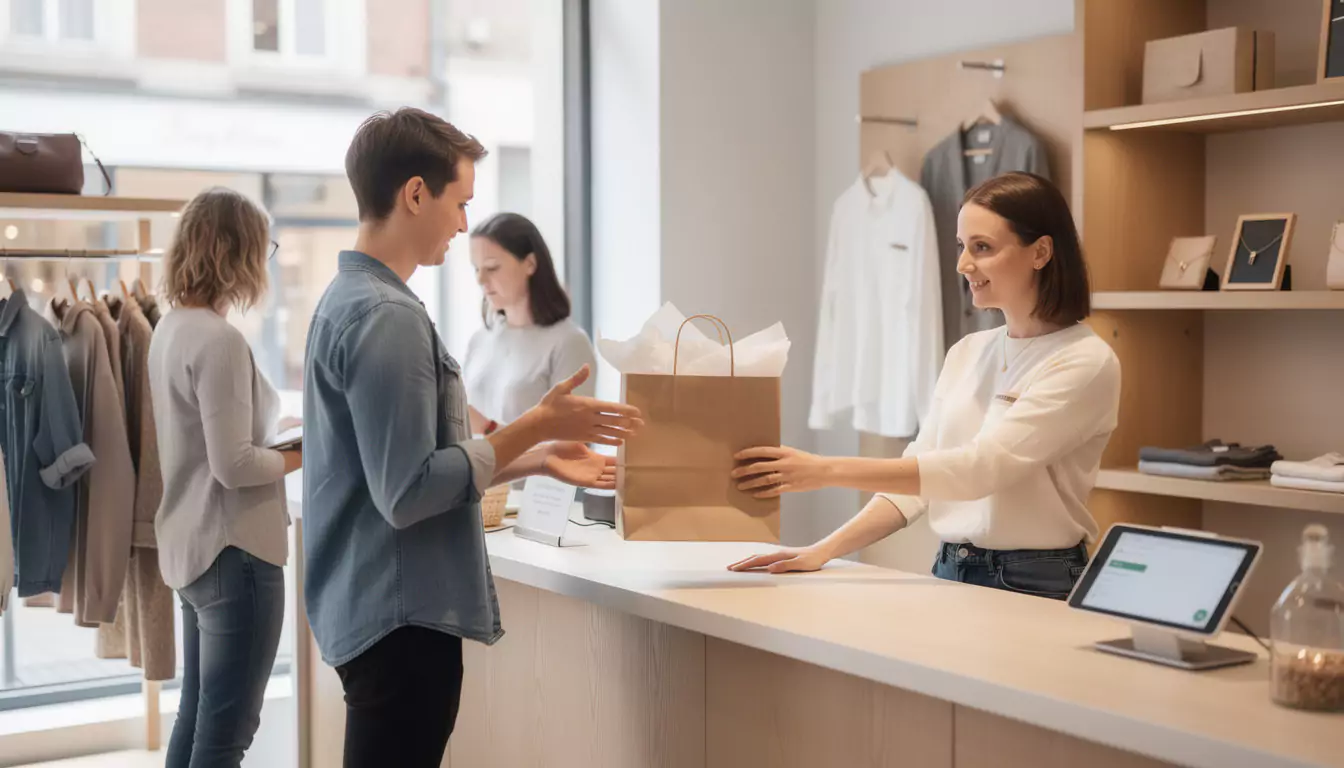
Understanding click and collect for a local store
Click and collect, literally order and then collect, fits into an omnichannel retail strategy. The customer reserves or buys a product from a website, an online store, or a mobile app, then comes to pick it up at the chosen point of sale.
For a local store, the benefit is immediate: the service brings digital and the physical store closer together without requiring complex delivery logistics. A neighborhood bookstore, a specialty grocery, or a ready-to-wear clothing store can thus sell online while still maintaining human contact at pickup.
This journey meets a simple expectation: save time without losing the convenience of local retail. The promise must therefore remain clear, visible, and realistic from the product page onward.
Distinguishing click and collect from in-store pickup
Click and collect is based on stock available in the physical store. The customer orders an item already present in the store, which makes it possible to make it available quickly, sometimes within a few hours.
In-store pickup works differently: the product may come from e-commerce stock, a warehouse, or another point of sale before being delivered to the store. The lead time is therefore often longer and the logistics journey more complex.
This distinction is important to avoid false promises. If a local store advertises quick pickup, it must truly be able to reserve the item from its in-store stock.
| Criteria | Click and collect | In-store pickup |
|---|---|---|
| Product origin | Physical store stock | E-commerce stock, warehouse, or another point of sale |
| Usual lead time | Fast, sometimes same day | More variable depending on transit time |
| Logistical complexity | Moderate for a local store | Higher |
| Customer experience | Seamless booking and direct pickup | Waiting tied to internal delivery |
| Use cases | Local businesses, restaurants, fashion, bookstores | Multi-warehouse networks or large retail chains |
Create a simple journey by starting with the customer’s need
A good click and collect journey doesn’t start with technology, but with the customer’s question: is the product available, when can it be picked up, and what needs to be shown in store? If these three answers are immediate, the service inspires confidence.
Take the example of a local gourmet grocery store, Maison Lenoir. The customer selects an aperitif basket online, chooses a pickup slot for the same evening, receives a confirmation, then picks up their purchase at a dedicated counter without waiting in line.
This scenario works because it avoids unnecessary steps. Simplicity is often more profitable than a sophisticated checkout funnel that is difficult to maintain.
The essential steps of the customer journey
The journey must stay short, easy to read on mobile, and consistent with the store’s actual capabilities. Each step should reassure the customer and reduce the risk of abandonment.
- Clearly display product availability in the selected store.
- Offer a visible button to order or reserve via click and collect.
- Allow the choice of a pickup time slot or indicate a simple lead time, such as ready within two hours.
- Send a confirmation email or SMS with the practical information.
- Prepare the order in-store as soon as the notification is received.
- Create a clearly identifiable pickup area as soon as you enter the store.
- Provide a clear return or exchange process.
In a local business, the ideal journey is one that the customer can understand in under a minute and the in-store team can carry out easily.
Choosing the right technical solution without creating unnecessary complexity
A local store does not always need a complex architecture to get started. The right choice depends on order volume, the number of SKUs, how often inventory is updated, and the team’s habits.
A merchant can get started with a click-and-collect module on WooCommerce, PrestaShop, Magento, or an equivalent e-commerce solution. These tools often make it possible to manage store locations, schedules, pickup time slots, and order notifications.
When inventory must be perfectly aligned with the register, the integration becomes more technical. Synchronization between the website, the point-of-sale software, and the back office helps avoid impossible sales and frustration at the counter.
Possible options depending on the level of maturity
For a small shop with few SKUs, a lightweight online store with in-store payment may be enough. For a brand with multiple locations, it is better to plan for a centralized, multi-store solution that can manage pickup capacity by time slot.
| Solution | Main advantage | Limit to be anticipated | Suitable profile |
|---|---|---|---|
| Simple reservation form | Quick setup | Manual inventory management | Small business with few orders |
| Click-and-collect e-commerce module | Structured, automated customer journey | Initial setup required | Local store with online catalog |
| Website connected to the POS system | More reliable real-time inventory | More demanding technical integration | Business with high product turnover |
| Omnichannel SaaS platform | Multi-store management and advanced time slots | Cost and change management | Store network or franchise |
| Dedicated mobile app | Smoother, recurring customer experience | More comprehensive project to define | Commerce with forte loyalty |
DualMedia supports this type of scoping by connecting business goals to technical choices: e-commerce site, mobile app, UX, performance, local SEO, and integration with existing tools. This approach avoids developing costly features too early that still do not meet a real need.
Manage inventory in real time to avoid errors
Inventory reliability is at the heart of click and collect. If the customer reserves a product shown as available and then learns it is out of stock, trust deteriorates immediately.
Synchronization must therefore be planned from the outset. The e-commerce site, the POS software, and the in-store team must share the same view of inventory, even if the system remains simple at launch.
At Maison Lenoir, a gourmet gift box reserved online is automatically removed from available stock. The salesperson receives a notification, sets the box aside, then marks the order as ready.
The operational rules to formalize
Technology is not enough if store rules are vague. You need to define who prepares orders, where products are stored, how stockouts are handled, and when to notify the customer.
- Set a safety threshold so the last item is not sold if inventory is uncertain.
- Update inventory after every sale at the register or online.
- Create a preparation area separate from the shelves accessible to customers.
- Plan for an internal alert in the event of a missing product.
- Former the team on order statuses: received, in preparation, ready, picked up, canceled.
Well-managed inventory transfforms service into a reliable promise, not just a visible feature on the site.
Choose between online payment and in-store payment
Payment directly affects the pickup rate, operational workload, and the customer's level of trust. To get started simply, in-store payment is often the most accessible solution.
Online payment does, however, reduce no-shows at pickup and speeds up the in-store process. In return, it requires a more rigorous setup: secure payment method, refund management, invoicing, cancellation, and confority.
The best choice depends on the industry. A bakery can start with reservation and in-store payment, while an electronics store will often benefit from collecting payment online to secure high-value products.
| Payment method | Highlights | Points to watch |
|---|---|---|
| In-store payment | Easy to launch, little technical friction | Higher risk of unclaimed orders |
| Online payment | More committed order, faster pickup | More complete refund management and settings |
| Online deposit | A good compromise for some products | Path that needs to be explained clearly |
An effective process can evolve gradually: reservation at launch, then online payment when volume and usage justify it.
Inform the customer with clear messages
Once the order is placed, the customer should know exactly what to do. An incomplete confirmation message creates calls, waiting, and sometimes cancellations.
The email or SMS should include the order reference, reserved products, store address, hours, selected time slot, and documents to present. It can also specify whether a third party is authorized to pick up the purchase.
This step reassures the customer while easing the in-store team’s workload. The less ambiguity there is, the faster the pickup.
The right content for an order confirmation
An effective message should not be long, but it should be complete. It acts like a mini roadmap for the customer.
- Order number or reference.
- Summary of items and quantities.
- Name and address of the selected store.
- Pickup time slot or availability window.
- Amount paid or remaining to be paid.
- Pickup instructions, such as a dedicated counter or main register.
- Conditions for changes, cancellations, or returns.
Clear communication avoids invisible friction, the kind you can’t see in the statistics but feel immediately in the store.
Setting up a fast pickup area in the store
Click and collect doesn’t end on the website. The most memorable experience often happens when the customer walks through the store door.
A dedicated counter, clear signage, and an order that’s already ready are enough to create a sense of smoothness. Conversely, if the customer has to wait in line again or explain their order several times, the time savings disappear.
In a local store, the space doesn’t need to be large. It just needs to be visible, organized, and understood by the whole team.
The details that improve the pickup experience
Pickup should be thought of as a mini journey. The customer arrives, identifies themself, picks up their purchase, possibly asks a question, and leaves satisfied.
- Set up a clearly marked area near the entrance or checkout.
- Sort orders by name, time slot, or order number.
- Quickly verify the customer’s identity or reference.
- Prepare packaging suitable for transport.
- Train sales staff to offer additional advice without slowing down pickup.
A good in-store pickup should feel like a smooth service, not an exception the team discovers at the last minute.
Promoting your local click and collect service
A useful service has to be visible. So you need to promote click and collect on the website, social media, the Google Business Profile listing, the newsletter, and in the physical store.
Local SEO plays a major role here. A dedicated service page, paired with nearby search queries, helps customers understand that the store makes it possible to order online and pick up quickly in person.
An agency like DualMedia can help structure this visibility, particularly with a strategy of local SEO tailored to nearby businesses. The goal is not only to attract traffic, but to generate in-store visits.
The channels to activate as a priority
The launch should be simple and repeated across several support channels. Loyal customers do not all check the same channels, so you need to combine digital and in-store efforts.
- A visible banner on the site homepage.
- A mention on each eligible product page.
- A dedicated page explaining how the service works.
- A post on the store’s social media channels.
- A newsletter sent to the customer list.
- A poster or display stand in the store.
- An update to the Google Business Profile listing.
The message should remain benefit-oriented: order online, save time, pick up in store whenever it suits you.
Optimizing the mobile journey
Click and collect is often browsed from a smartphone. The customer looks for a product between trips, checks availability, and wants to reserve quickly.
A mobile journey should therefore display the essential information without overload: price, availability, reservation button, store selection, pickup time slot, and confirmation. Every unnecessary screen reduces the likelihood of completing the order.
For businesses focused on customer loyalty, a mobile app can become relevant. It makes recurring orders, pickup notifications, personalized offers, and purchase history easier.
Development must, however, be carefully planned. Resources devoted to an app should support frequent use, which aligns with the best practices described in the development of a mobile application from A to Z.
The UX points to check before going live
A quick UX audit helps avoid the most common mistakes. The test should be carried out on a phone, in conditions close to real-world use.
- The click and collect button is visible without having to search for it.
- The available stock is easy to understand.
- Choosing a store does not require too many steps.
- Pickup times and time slots are easy to read.
- Payment or booking does not get stuck on mobile.
- Confirmation is received immediately after the order.
A successful mobile journey gives the customer the feeling that the store is organized, accessible, and reliable.
Measure and improve the service after launch
Launch is only a starting point. A local store needs to track a few simple metrics to understand whether the customer journey is really working.
It is useful to monitor the number of orders, pickup rate, cancellations, out-of-stocks after ordering, average preparation time, and customer feedback. These data points reveal friction points better than a general impression.
An improvement can be very concrete: shorten a form, move the booking button, clarify an email, or test a different pickup slot. To go further,A/B testing to improve the conversion rate makes it possible to compare several versions of a journey without deciding at random.
Common mistakes to avoid
Failures rarely come from a single cause. They often appear when the digital promise goes beyond the store's operational reality.
- Promising too short a lead time without a team available to prepare the orders.
- Displaying unsynchronized stock levels.
- Not training store associates on online orders.
- Forgetting the return or exchange conditions.
- Make pickup as time-consuming as a standard purchase.
- Do not infororm customers that the service exists.
- Multiply technical options before validating usage.
The best service is one that remains manageable on a daily basis, even dors a spike in activity.
Our opinion
Click and collect is one of the most accessible ways to bring a local store closer to its connected customers. It brings flexibility, improves the online visibility and generates qualified in-store traffic.
Its success depends less on the number of features than on the quality of execution: reliable inventory, clear messages, fast pickup, a trained team, and a smooth mobile journey. A local business can start simply, then gradually enhance its setup with online payment, a mobile app, or deeper integration with the checkout system.
DualMedia can support this progression with a pragmatic approach: functional scoping, web development, UX, performance, local SEO, and mobile solutions adapted to real-world uses. The right click and collect is not a complicated machine; it is a clear service that makes people want to come back.
What is click and collect for a local store?
Click and collect allows a customer to order or reserve online and then pick up their purchase in-store. For a local shop, it’s a simple way to connect the website to the physical point of sale without setting up a full delivery logistics system.
How to set up click and collect easily?
Start with a short, reliable journey. The store should display available products, offer a reservation or payment option, send a confirmation, and prepare a clear pickup area in the store.
Do you have to have an e-commerce site to offer click and collect?
An e-commerce site is the most structured solution for managing click and collect. A reservation form may be enough at first, but an online catalog with inventory management quickly becomes preferable if orders increase.
What is the difference between click and collect and in-store pickup?
Click and collect generally uses inventory already available in the selected store. Store pickup, on the other hand, may depend on e-commerce stock or a warehouse shipment delivered later to the store.
Is online payment required for click and collect?
Online payment is not mandatory. A store can start with payment at pickup, then add online payment to reduce unclaimed orders and speed up in-store checkout.
How to avoid inventory errors in click and collect?
The best solution is to synchronize the website, the checkout system, and in-store inventory. If this integration is not possible, strict internal rules and frequent updates must be put in place.
Which businesses can use click and collect?
Most local businesses can use click and collect. It works well for bookstores, restaurants, bakeries, grocery stores, fashion shops, gift shops, or specialty stores.
How to inform customers of the pickup of their order?
A confirmation email or SMS must be sent automatically. It must specify the order reference, the store address, the pickup time slot, the opening hours, and any special instructions.
Does click and collect improve local SEO?
Click and collect can strengthen local SEO if it is well presented on the website and the Google Business Profile listing. A dedicated page helps nearby customers find the service and get to the store.
Is a mobile app useful for a click and collect service ?
A mobile app becomes useful when purchases are frequent or recurring. It can simplify ordering, send notifications, and strengthen customer loyalty, provided it meets a real customer need.
Would you like to get a detailed quote for a mobile application or website?
Our team of development and design experts at DualMedia is ready to turn your ideas into reality. Contact us today for a quick and accurate quote: contact@dualmedia.fr