
QR code phishing involves tampering with a QR code to redirect an employee to a fake login, payment, or download page. For an SME, the main challenge lies in risk management: the attack sometimes bypasses standard email filters, shifts to the employee’s personal smartphone, and often targets Microsoft 365 credentials. The right response combines simple procedures, email protection, robust MFA, and brief awareness training.
What is QR code phishing?
In 2024, ANSSI defined “quishing” as “QR code phishing”: a QR code redirects the victim to a malicious resource, such as a fake website or malicious software. In short, it’s phishing, but with a visual step that often hides the actual address.
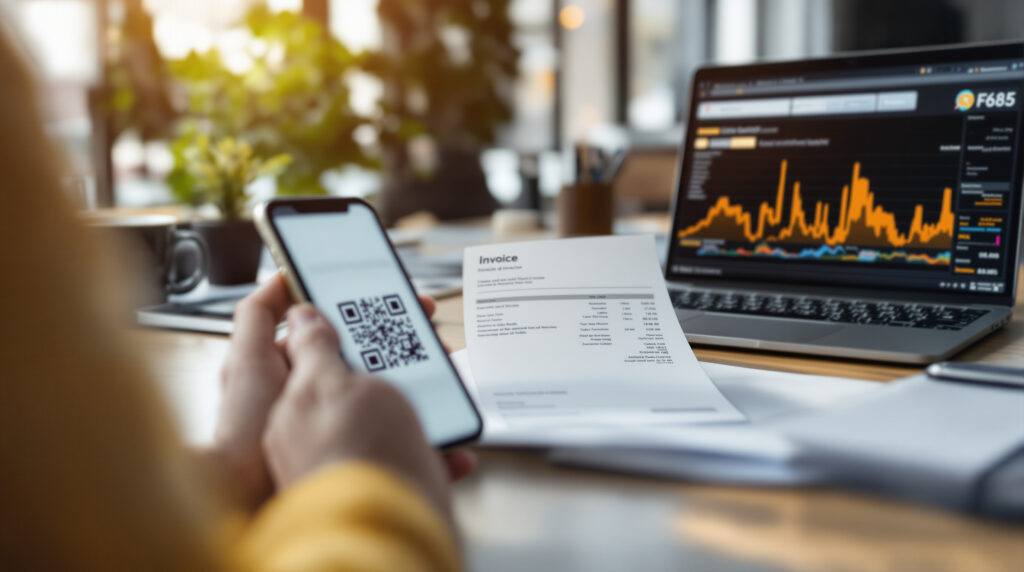
The most common scenario is simple. A user receives an email containing a QR code in the body of the message, in an image, or in an attachment PDF. He scans it with his phone, is taken to a page that looks like Microsoft 365, La Poste, a payment platform, or an internal portal, and then enters his login credentials.
As early as 2023, Cybermalveillance.gouv.fr reported the regular appearance of fake QR codes in French news stories: fake fines, fake La Poste delivery notices, fake codes stuck on ATMs or recharge terminals, and fake Office 365 confirmations. In 2024, the phenomenon remained relatively marginal in France compared to traditional phishing, but this fact should not be taken lightly. Even a rare attack can be sufficient if it targets the accounting department, senior management, or an administrator.
Recent figures show an acceleration in email-based attacks. Microsoft Threat Intelligence reported that in the first quarter of 2026, QR code phishing rose from approximately 7.6 million threats in January to 18.7 million in March—a 146 % increase. Globally, Microsoft said it detected around 8.3 billion email phishing threats during this period.
Why QR codes are more effective than traditional links
You can spot a fraudulent link. Not always, but often enough: domain name Weird, a typo in the URL, an unusual file extension. A QR code, on the other hand, condenses everything into a single image. Unless the phone clearly displays the address, the employee can’t tell.
Another challenge: the shift from desktop to mobile. Barracuda notes in 2026 that scanning often shifts the attack to a mobile device, sometimes outside the company’s security perimeter. If an employee uses their personal smartphone without mobile security or centralized management, the company loses some of its visibility.
The scam is particularly effective with Microsoft 365. Attackers mimic the appearance of a login page, then steal the username, password, and sometimes the MFA code (multi-factor authentication, the second factor of the login process). If the MFA system is vulnerable to “adversary-in-the-middle” attacks—that is, a fake site placed between the user and the real service—the MFA code can be intercepted.
In the projects we work on, we often see an organizational gap rather than a technical one: no one really knows who is responsible for approving a QR code added to a PDF invoice, an in-store poster, or a marketing email. This lack of clarity is enough. The QR code becomes a point of intersection between communications, IT, and business functions.
Real-world examples from French companies
The first common scenario: the fake Microsoft 365 notification. The message claims there is a security check, a password expiration, or an access verification. The QR code leads to a page that mimics Microsoft’s visual design. The employee, in a hurry, scans the code with their phone and logs in.
Second scenario: an invoice or delivery slip in PDF format. The QR code appears to allow users to view details, make a payment, or confirm receipt. This seems plausible, since invoices, menus, visitor badges, and administrative forms already use QR codes. The danger lies in this very commonplace nature.
Third scenario: physical signage. A fraudulent sticker could cover a legitimate QR code on a borne, a counter, an event poster, or a parking lot. For a business that serves the public, the risk also affects brand image: a customer who falls for the scam will associate the incident with the location where they scanned the code.
Finally, there is a more subtle scenario: QR codes used in internal campaigns. Seminar registration, HR surveys, guest Wi-Fi access. If employees have never been taught to check the domain before opening a link, a fake campaign can be very convincing.
How to Verify a QR Code Without Being a Tech Expert
The most useful rule can be summed up in one sentence: treat a QR code like a link. A QR code isn’t any safer just because it’s printed, looks nice, or appears in a document that resembles an invoice. It deserves the same scrutiny as a URL received via email.
- Check the displayed address before opening it: the domain must match the expected service exactly—for example, microsoft.com, not a longer version.
- Avoid scanning an unexpected QR code received via email, especially if it asks you to sign in to Microsoft 365, make a payment, or provide banking information.
- If you're unsure, go directly to the official website or open the official app instead of using the QR code.
- On a public ort, make sure no stickers have been placed over the origine code.
- Report the message to the internal contact rather than deleting it just for yourself.
This last point is very important. Reporting an issue quickly makes it possible to halt a campaign before it reaches the finance department or the sales teams. To establish this practice, a short internal memo is often all that’s needed: what to report, to whom, and what information to include.
The same reasoning applies to your own digital products. If your mobile app or customer portal uses QR codes to log in to an account, initiate a payment, or retrieve data, security should not be an afterthought. The risks associated with communication between mobile devices and servers are similar to those described in an approach to Mobile API Security.
What safeguards should companies put in place?
Email remains the first line of defense. Modern security gateways must be able to analyze images and attachments, decode QR codes, and then verify the resulting URL. Microsoft documents controls such as QR code analysis, URL rewriting, and sandboxing—that is, the controlled opening of a link in an isolated environment.
Be careful, however, not to rely entirely on a filter. Some QR codes are embedded in PDFs, while others are obfuscated, shortened, or designed to redirect users to mobile devices. Honestly, an SMB that settles for “built-in” email without a verified security policy is taking an avoidable risk, especially if it relies heavily on Microsoft 365.
| Measurement | What it reduces | Cost Order in France | Realistic timeline |
|---|---|---|---|
| Configuring renforcé for Microsoft 365 or Google Workspace | Impersonation, suspicious links, weak rules | Approximately €800 to €2,500, depending on size and the initial audit | 2 to 5 days |
| Email Gateway with QR/PDF Analysis | QR Codes in Emails and Attachments | Often €3 to €8 per user per month, depending on the provider | 1 to 3 weeks |
| Phishing-resistant MFA, including passkeys | Theft of login credentials and interception of codes | Varies depending on the licenses; projects often start at €2,000 | 2 to 6 weeks |
| Awareness-raising through short simulations | Random scans, no alerts | Approximately €1,000 to €5,000 per SME campaign | 2 to 4 weeks |
| Mobile Security or Lightweight MDM | Loss of visibility on smartphones | Often €4 to €12 per device per month | 2 to 8 weeks |
These figures are estimates of the French market size, not universal rates. The cost depends on the number of users, existing licenses, configuration history, and the level of business constraints. Given this budget, it’s best to prioritize sensitive accounts before seeking comprehensive coverage.
MFA deserves separate consideration. SMS codes or one-time codes in an app provide better protection than a simple password, but they do not always withstand phishing attempts. Passkeys, which are based on a domain-bound cryptographic key, significantly reduce this risk; this topic is covered in detail for websites in this guide on Passkeys as an alternative to passwords and, on the mobile side, in this analysis of the passkeys built into applications.
The budget trap: buying a tool without changing how it's used
A security tool that detects malicious QR codes is useful. But it doesn’t cover a QR code posted in a lobby, sent via text message to a sales representative, or printed on a fake invoice handed to the front desk. QR code phishing therefore requires us to move beyond a purely email-based approach.
The appropriate level of response depends on your exposure. A B2B company with 20 employees and few online payments does not have the same needs as a retail chain, a SaaS platform, or a company that processes sensitive data as defined by the GDPR, which has been in effect since 2018. The question isn’t “Which tool should we buy?” but “Which scenarios could be costly?”
From an agency’s perspective, the first step is to map out legitimate QR codes before discussing solutions: printed materials, transactional emails, mobile apps, badges, invoices, and events. Sometimes we come across codes created three years ago that link to a page that’s no longer maintained, an old URL shortener, or a domain that might expire. A classic unpleasant surprise.
If you’re developing an app, also make sure that scanning a QR code doesn’t trigger any sensitive actions without confirmation—such as logging in, adding a payment method, retrieving a document, or making an API call. A pre-release review, similar to a Mobile Application Security Checklist, avoids costly cor actions following an incident.
A Pragmatic Action Plan for the Next 30 Days
Start with the accounts that have the greatest impact: management, finance, HR, Microsoft 365 administrators, and support teams. Enable or verify MFA, remove suspicious forwarding rules, check authorized domains, and test your email system’s ability to scan a QR code in a PDF.
Next, create a short internal policy. Not an 18-page guideline. Just one page: don’t scan an unexpected QR code, check the domain, use the official app if in doubt, and report it to the designated channel. Have a non-technical person review it; if they don’t understand it, it won’t be followed.
Step 3: Test it out. A realistic simulation—presented as a safety drill but without humiliating anyone—yields better results than a speech designed to instill fear. The goal is to measure the reporting rate, not to trap employees.
Finally, keep track of your own public QR codes. Create them, note their destination, their internal owner, and their scheduled removal date. A printed QR code sometimes outlives the website it links to.
Addressing this type of risk early on helps avoid most unpleasant surprises: authentication choices, email configuration, mobile user experience, and printed support documents. Above all, an outside perspective helps prioritize what deserves funding now and what can wait without putting the company at risk.
FAQ on Phishing and Malicious QR Codes
Is "quishing" more dangerous than traditional phishing?
It isn't always more dangerous, but it can be more misleading in certain contexts. The QR code hides the URL and often directs the user to their phone, which is sometimes less secure than their work computer.
How can you spot a fraudulent QR code?
A fraudulent QR code can usually be identified by its context: an unexpected request, an urgent matter, a payment, a Microsoft 365 login, or a modified public support. Before opening it, check the displayed domain and go to the official website if you have even the slightest doubt.
Does Microsoft 365 automatically protect against phishing?
Not automatically in all configurations. Certain protections are available depending on licenses and settings, but you need to verify the scanning of images, PDFs, and URLs, as well as the robustness of MFA.
Should QR codes be banned in the workplace?
No, that would rarely be realistic. It’s better to regulate their creation, implement public QR codes, organize teams, and block risky uses such as sensitive connections made via an unverified code.