
Fake Play Store apps imitate a familiar brand, but their developer, behavior, or requests reveal the fraud. In 2026, the decisive check is to open the brand’s official website, follow its download link, and compare the developer’s exact name. A familiar logo, a sponsorored ad, or a large number of installations proves nothing.
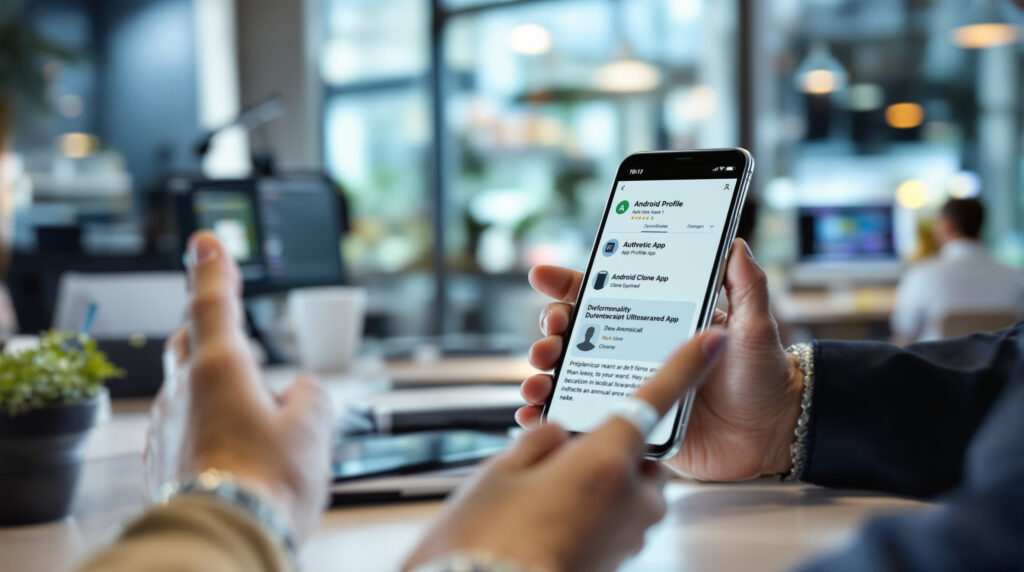
How can you recognize a fake app on the Play Store?
A fake Play Store app can first be identified by the developer’s identity, then by the consistency of its listing, metadata, and requested permorissions. According to Google’s recommendations in 2026, the safest route starts from the brand’s official domain, not from a search performed directly in Google Play.
The name displayed below the icon deserves more attention than the icon itself. For WhatsApp, the official Android developer is WhatsApp LLC. For Google Chrome, it is Google LLC. In October 2026, a WhatsApp copy used the name “Agment Assets sallu,” while a fake Chrome app was published by “Hizbartech.”
Fraudsters know how to reproduce a logo, screenshots, and promotional text. They can also buy advertising visibility. The WhatsApp copy reported on October 16, 2026, appeared in sponsorored results for some users and had exceeded 500,000 downloads. This number did not make it an official app.
Before installing an app, check the following:
- open the company’s official website and use its link to Google Play;
- compare the developer’s exact name with the one announced by the brand;
- review the developer’s metadata and other apps;
- read the available reviews without treating their absence as a guarantee;
- reject a permorission unrelated to the advertised function;
- leave any payment or subscription page that appears without a clear explanation.
A single clue is not always enough. However, an unknown developer combined with copied visual branding and an unexpected payment request warrants immediately abandoning the installation.
How did the Android/RewaFake campaign work?
Android/RewaFake refers to a campaign involving fake Android apps that copied well-known services before redirecting users to deceptive advertising and subscription flows. In October 2026, McAfee identified more than 1,900 apps linked to this campaign on more than 500,000 devices across over 190 countries.
The clones notably reproduced the appearance of CapCut, Roblox, PayPal, Netflix, Zelle, and Xbox Game Pass. Despite these different identities, the apps shared a code base and remote infrastructure. The installed app therefore served primarily as a façade.
According to the analysis published by McAfee on October 7, 2026, each app examined contacted the domain rewadevelopments[.]online to obtain a destination address. This page then opened in an embedded Chrome tab whose address bar was hidden, making the content’s real ororigin less visible.
The technical trap was this remotely controlled redirection. The operators could replace the destination each time the app launched without modifying the app or submitting a new version for store review. In 2026, McAfee stated that the pages promoted subscriptions costing up to 49.99 U.S. dollars per month.
Counterintuitively, McAfee identified no exploitation of a vulnerability, no root access (complete control of the phone), and no dynamic loading of dangerous code in the apps analyzed. The fraudulent content came from the Web. An app can therefore request few sensitive permorissions and still be risky. This mechanism differs from an Android malware targeting banking protections or from malicious software embedded in the firmware.
Why aren’t downloads and reviews enough?
The number of downloads, the sponsorored position, and the visuals on a Google Play listing do not certify an app’s identity. In October 2026, the fake version of WhatsApp had exceeded 500,000 downloads, while the Chrome copy had surpassed 100,000 downloads before being removed.
The Chrome case also shows that a listing can change its identity. According to information reported on October 16, 2026, the app initially launched under the name “Ball Bounce” on August 22, 2026, before being renamed Chrome on September 30, 2026. A listing’s apparent age therefore does not guarantee that its use has remained the same.
Reviews are useful for spotting redirections, a barrage of ads, or an unexpected subscription. Their absence is not reassuring, however. Android Authority reported in October 2026 that the WhatsApp copy appeared to be using Google Play’s Early Access program, which prevented public reviews, but this explanation was not independently confirmed by Google.
Honestly, checking an average rating while ignororing the developer is like inspecting the packaging without looking at the manufacturer. From an agency perspective, the reflex is to document official download links on the brand’s website so that clients, employees, and partners have a reliable starting point.
What signs should make you abandon the installation?
An installation should be abandoned if the developer does not correspond to the brand, if the link does not come from its official domain, or if the app requests a setting unrelated to its function. In 2026, Google recommends rejecting unexplained requests involving restricted settings and access to accessibility services.
Accessibility is an Android feature designed to help users interact with the screen. In the wrong hands, this access can make it possible to read what is displayed or act on the user’s behalf. A flashlight, video player, or game normally has no obvious reason to request it.
| Checked item | Reassuring signal | Warning signal | Recommended decision |
|---|---|---|---|
| Download link | Link accessible from the official domain | Link received through an ad, message, or third-party website | Start again from the official website |
| Displayed developer | Name identical to the one indicated by the brand | Unknown company or similar-looking name | Do not install |
| Permorissions | Requests consistent with the function | Unexplained accessibility or restricted-settings requests | Reject and uninstall |
| Payments | Price and billing frequency announced before confirmation | External form or unexpected subscription | Close the page without entering any data |
| Popularity | Secondary indicator only | Confidence based on downloads or sponsoring | Check the publisher anyway |
An open credit card request on a web page deserves the same caution as an unfamiliar site, even if the process began in an application downloaded from Google Play. Play Store reduces certain risks, but does not transform every remote content into verified content.
What should you do after installing a fake Play Store application?
After installing a fake Play Store application, uninstall it, run a Google Play Protect scan, and check your subscriptions, payments, and granted autorizations. If credentials or banking coordetails were entered, change the relevant passwords from a secure device and promptly notify the payment institution.
Google Play Protect checks applications during installation and then scans them periodically. According to Google documentation available in 2026, the service can warn the user, disable a harmful application, or remove it. It can also scan an APK file, meaning an Android installation package obtained hors of Google Play.
Then open the Android settings to check accessibility services, device administrators, and sensitive autorizations. Remove any access groranted to the application before or after uninstalling it. Also check Google Play and your bank statement to identify a recurring subscription or an unfamiliar transaction.
If a password was disclosed, replace it everywhere it was reused and enable two-factor authentication. For a business fleet, the incident must be reported to the IT manager or security provider. In the projects we handle, we often see that password reuse extends the incident well beyond the initial phone; simple cybersecurity tools can already reduce this risk.
How can you protect a company’s Android phones?
Protecting an Android fleet relies on a mandated installation source, Google Play Protect enabled, consistent updates, and a short reporting procedure. For a small or medium-sized business, the main benefit comes less from a complex tool than from verifiable rules: official publisher, consistent permissions, and internal approval for business applications.
Une entreprise peut maintenir un catalogue d’applications autorisées et diffuser les liens depuis son intranet ou son outil de gestion des terminaux. Les collaborateurs savent alors où trouver la bonne version. Cette mesure est particulièrement utile lorsqu’une business application ressemble à un service grand public ou existe sous plusieurs noms commerciaux.
Le risque ne se limite pas au vol de données. Un faux abonnement peut générer des frais, une page d’phishing peut récupérer un compte professionnel et une autorisation excessive peut exposer des échanges internes. À ce budget, mieux vaut consacrer du temps à une procédure d’installation claire plutôt qu’empiler des outils que personne ne surveille.
Setting clear boundaries for download sources, Android permissions, and incident response prevents most unpleasant surprises. An outside perspective can also help distinguish useful controls from constraints that unnecessarily slow teams down.
FAQ about Android application clones
Is Google Play Protect enabled automatically?
Google Play Protect is integrated into Google Play and scans apps upon installation and periodically, according to Google in 2026. Nevertheless, check its status in the Play Store settings, especially on a business device or one that was recently reconfigured.
Is an app sponsored on Google Play official?
An app sponsored on Google Play is not necessarily official. In October 2026, a fake WhatsApp listing was visible in sponsored results for some users; the publisher’s exact name remains the decisive check.
Can an app without dangerous permissions be fraudulent?
A dangerous permissionless app can load a deceptive webpage and lead users to a subscription. McAfee observed this exact behavior in the Android/RewaFake campaign published in October 2026.
How can you verify the actual publisher of an Android app?
Le vrai éditeur d’une Android application se vérifie en partant du site officiel de la marque et en suivant son lien Google Play. Comparez ensuite le nom affiché, les coordonnées du développeur et ses autres applications.