
Running a local LLM on OVH or on-premise with Ollama makes it possible to keep control of your data, reduce dependence on cloud APIs, and deploy private AI for development, document analysis, or business support.
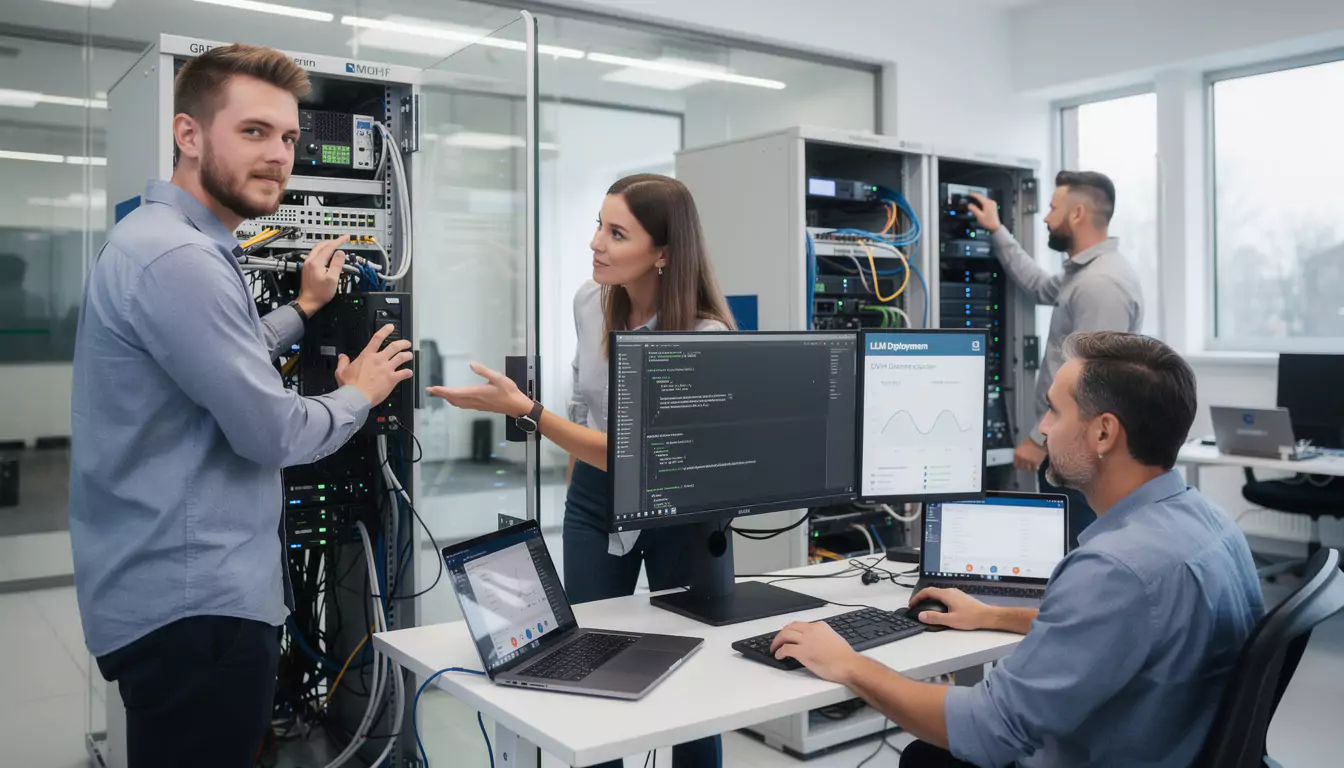
In 2026, open-weight models like Llama, Mistral, Qwen, or DeepSeek are making local AI much more accessible. With Ollama, an OVH dedicated server, an on-premise machine, or a homelab node can run a language model without sending prompts to a third-party service.
This approach is particularly appealing to technical teams, web agencies, IT departments, and companies that handle sensitive data. For an agency like DualMedia, which supports web, mobile, and business projects, a local LLM becomes a practical tool for prototyping, documenting, analyzing code, or assisting internal workflows without exposing confidential information.
Why run a local LLM on OVH or on-premise
A local LLM meets a simple need: using generative AI without entrusting your data to an external platform. Prompts, files, logs, and configurations remain on infrastructure controlled by the company.
This logic works very well in OVH environments, on bare metal servers, virtualized machines, and on-premise installations. It avoids depending solely on a remote API, while still keeping a flexible solution for internal use cases.
Within a development team, it can be used to review code, explain a server error, generate a bash script, summarize documentation, or analyze technical files. The main benefit comes not only from speed, but also from confidentiality and control over the environment.
- Keep prompts and documents within the internal network.
- Reduce dependence on proprietary AI services.
- Test several open-weight models depending on your needs.
- Create a private interface with Open WebUI.
- Connect the LLM to business tools, APIs, or an internal knowledge base.
For more advanced projects, the choice of AI tool must also be aligned with business constraints, server resources, and security. The DualMedia guide on choosing AI tools for a project details this selection logic for technical teams and managers.
Ollama and Open WebUI: the simple duo for local AI
Ollama runs local language models from the command line or through a REST API. Open WebUI adds a ChatGPT-like web interface, with historory, multi-turn conversations, file management, and RAG-oriented features.
The principle is clear: Ollama handles the inference engine, Open WebUI provides theuser experience. This separation makes it possible to keep the architecture clear, easy to maintain, and suitable for both dedicated servers and internal machines.
On a server equipped with an RTX 3060, Llama 3.1 8B can reach around 40 tokens per second in a favorable context. This performance is more than enough for code review, log summarization, or technical documentation generation.
On a more modest machine, such as an MS-01 mini-server with enough RAM, 7B models remain usable on a daily basis. Response time increases on CPU alone, but the setup still makes sense for occasional queries or internal assistants.
Which configuration should you choose to run an LLM locally
The hardware choice depends on the model, the quantization, the number of users, and the expected level of confort. A small model can run on CPU, while a larger model becomes much more comfortable to use with an NVIDIA GPU or a recent Apple Silicon chip.
For a business, the real question is not just “does it run?”. You also need to assess latency, concurrent load, security, model storage, and integration into internal tools.
| Configuration | Recommended use | Suitable models | Points to watch |
|---|---|---|---|
| Recent CPU with 16 GB of RAM | Personal assistant, summaries, simple scripts | Mistral 7B, Phi-3 Mini, Llama 3.2 3B | Slower responses, not well suited to simultaneous use |
| OVH server with NVIDIA GPU | Technical team, code review, document analysis | Llama 3.1 8B, Qwen, DeepSeek depending on resources | Server cost, GPU monitoring, network security |
| Dedicated on-premise server | Sensitive data, internal confority, private RAG | Mistral, Llama, Qwen with suitable quantization | Maintenance, backups, secure remote access |
| Homelab or mini-server | Testing, technology watch, personal automations | 3B to 7B models | Limited RAM, cooling, availability |
7B models are often the best entry point. Depending on the quantization, they generally require between 4 and 8 GB of RAM, which makes it possible to run them on a 16 GB machine while keeping other services active.
In an agency or SMB context, this configuration is sufficient to validate use cases before sizing a more robust infrastructure. DualMedia often recommends starting with a controlled scope: one model, a few use cases, a web interface, and a clear access policy.
Install Ollama Docker and Open WebUI on a server
Docker greatly simplifies the installation of Ollama and Open WebUI. The container-based approach makes it possible to isolate services, keep data in persistent volumes, and move the stack more easily between an OVH server, a VM, or an on-premise machine.
A typical configuration is based on two services. The first launches the ollama/ollama image and exposes port 11434. The second starts Open WebUI, exposes the interface on a web port, then connects to Ollama via the internal Docker network address.
In a Docker Compose stack, the volumes can for example point to /opt/stacks/ollama/data for the models and /opt/stacks/open-webui/data for the interface data. This organization avoids losing downloaded models lors of a container update.
For an NVIDIA GPU, you need to provide the compatible runtime and declare GPU access in the Docker configuration. This step transforms the user experience: responses become faster, especially with 7B or 8B models.
Once the containers are launched, the models are downloaded directly from the terminal. Commands like docker exec -it ollama ollama pull llama3.2, docker exec -it ollama ollama pull mistral or docker exec -it ollama ollama pull phi3.5 make it possible to quickly add the first models.
Which LLM models to use with Ollama locally
Ollama provides access to several families of open-weight models. The right choice depends on the language, the type of task, the available resources, and the expected level of accuracy.
Mistral 7B remains an excellent compromise for French, summaries, and general-purpose exchanges. Llama 3.2 is well suited to technical tasks, while Phi-3 Mini is relevant for machines with more limited memory.
Qwen offers an interesting quality/resources rapport for daily use, especially when technical requests need to be handled one after another without mobilizing heavy infrastructure. DeepSeek models, meanwhile, are often considered for oriented uses involving reasoning, code, and structured analysis.
The model landscape is evolving quickly, especially with the rise of Asian and European alternatives. To follow the trends, the DualMedia article on the best Chinese AI provides a useful overview of the players and models to watch.
Concrete use cases for a local LLM in business
A local LLM becomes truly useful lorsqu’il répond à recurring needs. For example, an operations team can ask it to summarize Proxmox logs, explain an Nginx error, or suggest a diagnostic command without exposing internal IPs.
A web team can use it to review a component, reformulate client documentation, generate a ticket template, or produce an initial analysis of a performance issue. In this context, AI is not a gimmick: it speeds up tasks with low creative value but a high cognitive load.
Open WebUI also adds an interesting layer with attached files and RAG. A company can index internal documentation, a procedure repository, or technical manuals in order to query its own knowledge.
For a business application, this approach can enhance a back office, a support tool, or an internal assistant. DualMedia supports this type of thinking in projects involving business application development, where AI must remain useful, secure, and integrated into the existing workflow.
Example use case: log analysis and script generation
Imagine an SME hosting several internal services on OVH and keeping some tools on-premise. Its technical team regularly receives logs containing machine names, private addresses, and configuration fragments.
With a local LLM, the team can paste these excerpts into Open WebUI to request a summary, a fault hypothesis, or a bash verification script. The data never leaves the controlled network, which fundamentally changes the level of trust.
This type of scenario clearly illustrates the difference from a general-purpose cloud AI. The benefit is not only functional, it is also organizational: the team feels confident using the assistant with real data.
Securing Ollama on OVH or on-premise
A local LLM should never become a service open to the entire Internet. Directly exposing Ollama’s port publicly cancels much of the confidentiality benefit and creates a risk of abuse.
Best practice is to keep Ollama on the internal network. Open WebUI can be published behind a reverse proxy with HTTPS, strong authentication, and appropriate access rules.
For remote access, it is better to use a VPN, a secure tunnel, or a robust authentication solution. The goal is simple: treat local AI like any orte other sensitive service, at the same level as an administration tool or a server bord dashboard.
- Do not expose port 11434 publicly.
- Use a reverse proxy for Open WebUI.
- Enable strong authentication on the interface.
- Restrict access by IP, VPN, or private network.
- Monitor CPU, RAM, GPU, and disk load.
- Regularly update containers and images.
Security must also cover the prompts and documents injected into the tool. Even locally, an AI assistant may keep a historique or index files; a clear retention and deletion policy must therefore be defined.
Integrating a local LLM into a web or mobile application
Ollama exposes a REST API, which makes it easy to integrate into a web application, an internal tool, or a mobile prototype. It becomes possible to create a custom interface, connect a ticketing system, or add an assistant to a back office.
However, this integration requires a methodical approach. Permissions must be managed, inputs filtered, volumes limited, usage tracked, and appropriate responses planned for when the model is wrong or lacks context.
In a professional architecture, the LLM should not make decisions on its own. It must be governed by business rules, reliable sources, human oversight, and a well-designed user experience.
It is precisely on this point that the expertise UX, web and mobile becomes essential. An agency like DualMedia can help transformer an Ollama experiment into a usable feature: support assistant, document search engine, writing assistance, or internal copilot.
This approach also aligns with the practices of agencies that use AI to improrve the performance and content of websites. The article on the use of artificial intelligence by web agencies shows how these tools can fit into a broader digital strategy.
OVH, on-premise or AI cloud: how to decide
The choice between a local LLM, an OVH server, and a cloud API depends on the level of confidentiality, the budget, the expected load, and the need for customization. No hosting model is universal.
A cloud service remains practical for quickly accessing very powerful models without managing the infrastructure. Conversely, Ollama on a private server gives more control, but requires monitoring resources, updates, and security.
| Option | Benefits | Limits | Best context |
|---|---|---|---|
| Ollama on OVH | Control, remote availability, dedicated resources | Server administration, security to manage | Technical teams, agencies, SMEs with regular needs |
| Ollama on-premise | Internal data, physical control, low external exposure | Hardware maintenance, remote access to be supervised | Sensitive sectors, internal information systems, private documentation |
| Cloud AI API | Power, simplicity, advanced models | Vendor dependency, data transfer | Rapid prototypes, non-sensitive uses, occasional spikes |
| Hybrid approach | Flexibility, trade-offs based on sensitivity | More complex architecture | Companies with multiple confidentiality levels |
A hybrid approach often works very well. Sensitive data goes through the local LLM, while certain less critical tasks can remain on a more powerful external API.
This split avoids extreme positions. The challenge is not to replace all existing tools, but to choose the right engine for the right use.
Best practices for moving from experimentation to production
Installing Ollama in ten minutes is one thing. Making it reliable for a team is another.
The first step is to define the use cases. A local AI intended to summarize logs does not have the same requirements as a document assistant connected to HR, legal, or commercial files.
Next, you need to define a default model, test performance, control the quality of responses, and document the limitations. Without this discipline, the tool risks becoming a technical toy instead of a real operational lever.
- Identify three priority and measurable use cases.
- Choose a model suited to the available resources.
- Deploy Ollama and Open WebUI on a protected network.
- Test responses with realistic but controlled data.
- Torain users on effective prompts and the model’s limitations.
- Set up CPU, RAM, GPU, and storage monitoring.
- Plan a backup and update strategy.
This gradual method secures the project. It also makes it possible to decide objectively whether to stay on an existing server, rent a more powerful machine, or integrate AI into a dedicated business application.
Our opinion
Running an LLM locally on OVH or on-premise with Ollama is now a credible option for teams that want to combine AI, confidentiality, and technical control. The Ollama and Open WebUI pair offers a simple, clear, and sufficiently robust foundation for many professional uses.
The best starting point remains a well-chosen 7B model, a clean Docker installation, and minimal network exposure. Before looking for the most powerful model, you need to validate the use cases, security, and user experience.
For a company, the value really becomes clear when the local LLM joins a real process: support internal, documentation, development, log analysis, or business application. It is in this integration that the support of a web agency and mobile expert like DualMedia apporte brings the most value.
How do you run an LLM locally on OVH with Ollama?
You need to install Ollama on an OVH server, ideally via Docker, then download a compatible model. Open WebUI can then provide a private web interface connected to Ollama on the internal network.
Do you need a GPU to run an LLM locally?
No, Ollama also works on CPU only. A GPU significantly speeds up inference, but quantized 3B or 7B models remain usable on a recent processor with enough RAM.
Which models should you choose for a local LLM with Ollama?
Mistral 7B, Llama 3.2, Phi-3 Mini, and Qwen are good starting points. The choice depends on the language, the available memory, the need for speed, and the type of tasks to be handled.
Is Open WebUI required to use Ollama?
No, Open WebUI is not mandatory. Ollama exposes a REST API that can be used directly, but Open WebUI apportes a confortable interface with historory, files, and multi-turn conversations.
Is a local LLM more secure than a cloud API?
Yes, if the installation is properly protected. The data remains on your infrastructure, but you must avoid any public exposure of Ollama and secure access to Open WebUI.
Can Ollama be used on an on-premise server?
Yes, Ollama works very well on an on-premise server. This option suits companies that want to keep their data within their internal network and physically control the infrastructure.
How much RAM do you need to run an LLM locally?
A quantized 7B model often requires between 4 and 8 GB of RAM. With 16 GB of RAM, it is possible to run a lightweight model while keeping other services active.
Can Ollama be integrated into a web or mobile application?
Yes, Ollama can be integrated via its REST API. A web, mobile, or business application can thus query a local model, provided that access, prompts, and responses are properly managed.
What is the difference between local Ollama and ChatGPT?
The main difference concerns hosting and data. With local Ollama, prompts and documents stay on your server, while a cloud service processes requests on external infrastructure.
Is Ollama suitable for a web or mobile agency?
Yes, Ollama can help a web or mobile agency analyze code, write documentation, test prompts, and support business projects. The benefits increase lorsque the tool is integrated into secure internal workflows.
Would you like to get a detailed quote for a mobile application or website?
Our team of development and design experts at DualMedia is ready to turn your ideas into reality. Contact us today for a quick and accurate quote: contact@dualmedia.fr