
Headless WordPress is a good choice if your corporate website needs to be very fast, connected to multiple channels, or equipped with an advanced front-end interface. For a standard showcase website, it’s often too expensive. How it works: WordPress remains the content management system, but the public-facing display is handled by another technology, such as Next.js or Astro.
What exactly is WordPress Headless?
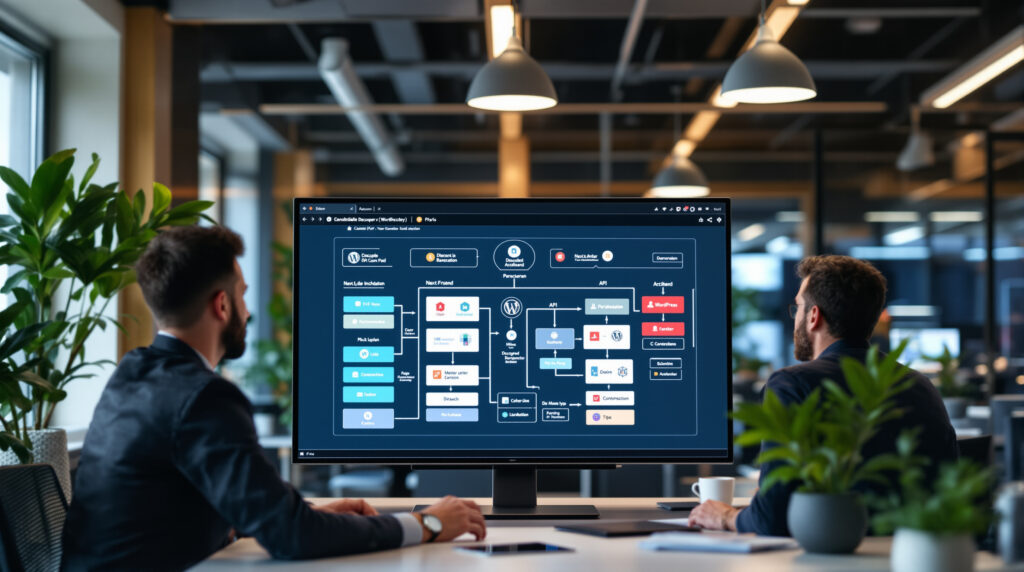
A traditional WordPress site combines two functions into a single system: the admin panel, where your teams create content, and the theme, which displays the pages to visitors. With headless WordPress, these two parts are separated. WordPress becomes the back end (the invisible part that stores and organizes content), while a separate front end displays the site.
This front end can be developed using Next.js, a JavaScript framework based on React, or Astro, a framework known for generating fast, lightweight pages. Content is retrieved via an API, which is a structured interface that allows two software applications to communicate. Since WordPress 4.7, released in 2016, the REST API has been integrated into the core of WordPress and exposes content via the address /wp-json/wp/v2/.
You can also use GraphQL, a query language that allows you to precisely request the data you need. The open-source WPGraphQL plugin adds this capability to WordPress. Other tools, such as Faust.js, simplify headless WordPress projects with Next.js by handling very useful features: post previews, authentication, block components, and template hierarchies.
Simply put: your editors continue to work in WordPress, but your visitors no longer see a standard WordPress theme. Instead, they view a site generated or rendered by a separate front-end application.
Why Some Companies Choose Headless WordPress
The primary benefit sought is often performance. A modern front end can generate static pages, served very quickly via a CDN (a network of geographically distributed servers), with less reliance on the WordPress server with each visit. For a publishing site, a brand with a lot of content, or a high-traffic landing page, this improvement can make a difference.
Security is another consideration, but it needs to be qualified. Since the public site no longer depends directly on the WordPress theme, certain attack surfaces are reduced. However, WordPress is still present on the admin side, with its users, plugins, and updates. A weak password or a vulnerable plugin remains a risk.
A headless architecture also becomes useful when the same content needs to be delivered to multiple platforms: website, mobile app, blog, extranet, and partner portal. WordPress serves as the central CMS for all of them. This approach aligns with the decoupled architectures presented in our Guide to Headless CMSs, but with the advantage of sticking with a tool that many marketing teams are already familiar with.
One final common scenario: the user experience requires something that a standard WordPress theme doesn’t handle well. Examples include a product configurator, a highly interactive interface, instant search, or a multi-step process. In these cases, a well-designed JavaScript front end can offer greater flexibility. Honestly, this technology is only justified if that flexibility provides real business value.
Is a headless solution worth the cost for an SME?
The real issue isn’t technical. It’s economic. A headless WordPress project adds a layer of design, development, and maintenance. You’re no longer just paying for a WordPress site—you’re paying for WordPress, a separate front end, API integration, caching, previews, deployments, and monitoring.
In the French market, a standard, professional WordPress showcase website for small and medium-sized businesses typically costs between €5,000 and €18,000, depending on the number of pages, design, SEO, and integrations. A comparable headless project typically starts at around €15,000 to €30,000 and can exceed €50,000 if the front-end experience, multilingual content, workflows, or business integrations are ambitious. These are rough estimates, not a universal pricing grid.
| Architecture | Estimated Project Budget in France | Typical timeframe | Recurring Costs to Anticipate |
|---|---|---|---|
| Word Classic Press | €5,000 to €18,000 | 4 to 10 weeks | WordPress hosting, maintenance, and any necessary licenses |
| Headless WordPress for Small and Medium-Sized Businesses | €15,000 to €50,000+ | 8 to 16 weeks | WordPress hosting, front-end, CDN, monitoring, API maintenance |
| Headless Enterprise | Based on an estimate, often well above that | 3 to 6 months or more | Multi-environment, support, security, SLA, governance |
Front-end platforms also add to the cost. In 2026, Vercel Pro is priced at $20 per month with usage credits, and additional paid seats for certain roles. Netlify Pro also starts at $20 per month, with monthly credits and tiered pricing. Cloudflare Pages bills Functions as web requests, depending on the plan used.
These monthly amounts may seem modest. The catch lies elsewhere: usage overages, build times, previews, testing environments, and developer time spent troubleshooting a broken deployment pipeline. With this budget, it’s better to invest in a clear architecture and a good caching strategy rather than a sophisticated animation that slows down deployment.
The pitfalls non-technical people discover too late
The first pitfall involves the preview. In standard WordPress, an editor clicks “Preview” and sees their page. In headless WordPress, this functionality must be recreated between WordPress and the front end. Faust.js helps with this when used with Next.js, but it isn’t automatic in all contexts.
Second topic: plugins. Many WordPress extensions assume that the WordPress theme is rendering the page. An SEO plugin, a page builder, a form, or a multilingual extension may work on the admin side but may not directly produce the expected output on the front end. You need to verify the data that is actually available via the REST API or GraphQL.
In the projects we’re working on, we often see a gap between the promise that “WordPress stays simple” and the day-to-day reality for contributors. If the editorial team loses the accurate preview, the familiar blocks, or the flexibility of the layout, the technical gain becomes an operational burden. The editors’ frustration is factored into the budget.
SEO also requires special attention. Title tags, meta descriptions, structured data, pagination, XML sitemaps, redirects, and Web Vitals performance metrics must be properly managed by the front end. With a site redesign, the risk is higher than with a standard theme change; our checklist of WordPress redesign without SEO loss provides a solid foundation for monitoring.
- Verify that the content, media, taxonomies, and custom fields are properly exposed by the API.
- Test the preview before finalizing the architecture, not at the end of the project.
- Verify the compatibility of critical plugins: SEO, forms, multilingual, and e-commerce.
- Implement a caching and revalidation mechanism when content is modified.
- Document who maintains WordPress, the front end, and the associated hosting services.
When Sticking with the Classic WordPress Is the Best Choice
For a showcase website with 10 to 40 pages, including a blog, forms, a few local pages, and an SEO focus, standard WordPress is often the most practical choice. It’s less expensive, easier to maintain, and allows a different service provider to take over the project without having to start from scratch. Simple. Effective.
If your priority is to publish quickly, test your search rankings, or keep costs under control, a headless approach can slow down the decision-making process. A good custom theme, reliable hosting with OVHcloud, Infomaniak, or a managed WordPress hosting provider, a properly configured cache, and Cloudflare in front of the site are often enough to achieve excellent results.
The question of which CMS to choose is also worth considering before selecting an architecture. WordPress isn’t always the answer: Webflow, Wix, a native headless CMS, or an e-commerce solution may be more suitable depending on the context. To compare the options without the jargon, you can read our guide to choose between Webflow, Wix and WordPress.
A case where the obvious solution is sometimes the wrong one: e-commerce. A headless WooCommerce setup is possible, but complexity increases rapidly with the shopping cart, payment processing, customer accounts, emails, inventory, and promotions. For an SME online store, it’s best to carefully compare WooCommerce, PrestaShop, and Shopware before decoupling the front end; this 2026 E-Commerce Comparison helps narrow down the options.
How to Structure a Headless WordPress Project Without Missing Deadlines
A thorough planning process starts with usage patterns, not with the framework. Who is publishing the content? How much content is published each month? What page templates are used? What languages are supported? What channels are used? What are the GDPR, accessibility, or security requirements? The answers to these questions determine the architecture.
From the agency’s perspective, the natural approach is to establish a simple framework early on: content, roles, workflows, data exposed via API, SEO requirements, and hosting constraints. Only then does the choice between Next.js, Astro, WPGraphQL, or a REST API come into play. Next.js is well-suited for rich interfaces and sites with hybrid rendering. Astro is often a good fit for fast-loading content sites with less browser-side JavaScript.
Timelines depend entirely on the existing setup. A migration managed by WordPress VIP typically takes between 4 and 12 weeks for managed projects, depending on size and complexity. For an SME, plan on 8 to 16 weeks if design, development, content migration, SEO, and acceptance testing are included.
Don't overlook accessibility. A modern front end doesn't guarantee anything by default: contrast, keyboard navigation, text alternatives, heading structure, and interactive components must all be tested. This topic aligns with the RGAA requirements, which are explained in our article on website accessibility.
One last point: maintenance. WordPress is evolving, and so are the frameworks. In July 2026, WordPress.org mentioned that versions 7.x were being released and tested, with the usual warning not to install a release candidate on a production site. In a decoupled architecture, each update must be verified across two layers instead of just one.
Defining the scope of this type of project early on helps avoid most unpleasant surprises: an underestimated budget, a lack of previews, compromised SEO, and unclear maintenance requirements. Above all, an outside perspective helps you determine whether decoupling adds value or simply introduces unnecessary complexity for your business.
FAQ on Headless WordPress
Is Headless WordPress good for SEO?
Yes, provided that the front end properly handles SEO tags, structured data, redirects, the sitemap, and page speed. If configured incorrectly, however, it can actually complicate indexing and migrations.
How much does a headless WordPress website cost?
For an SME in France, expect to pay between €15,000 and €50,000—or more—depending on the scope of the project. You’ll also need to factor in WordPress hosting, the front end, the CDN, any licenses, and maintenance.
Next.js or Astro for a headless WordPress site?
Next.js is well-suited for rich user interfaces, dynamic navigation, and advanced React projects. Astro is ideal for fast-loading content sites that want to minimize the amount of JavaScript sent to visitors.
Can you keep your WordPress plugins in headless mode?
Some plugins remain useful on the admin side, but their public display isn't always usable. SEO, form, multilingual, and e-commerce plugins must be tested before approval.
Should you choose the headless WordPress for a simple showcase website?
In most cases, no. A well-designed, fast, and secure standard WordPress site will offer a better cost-benefit ratio for a standard showcase website.